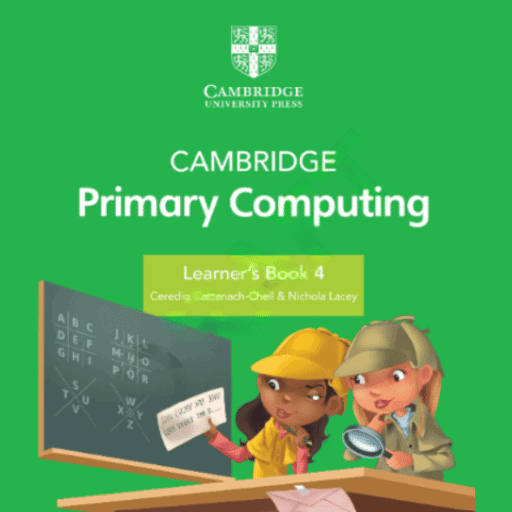
 | INFINITY COURSE IGCSE Computing Year 4 - Notes, Videos & PracticeKeystone Instructors · Last updated on Apr 10, 2026 |
IGCSE Computing Year 4 - Notes, Study Material



Trending Courses for Year 4

What is Year 4 Computing IGCSE (Cambridge)?
Year 4 Computing IGCSE (Cambridge) is an internationally recognized computing course designed specifically for young learners looking to build strong foundational skills in computer science and digital literacy. Offered by Cambridge Assessment International Education, this course serves as an excellent introduction to modern computing concepts, operating systems, and practical software applications.
The Year 4 Computing IGCSE Cambridge programme combines theoretical knowledge with hands-on practical experience. Unlike traditional computing courses that focus heavily on programming, this curriculum takes a holistic approach, introducing students to computer fundamentals, everyday software tools, and basic programming concepts through visual, interactive methods. This makes it particularly suitable for students aged 11-14 who are just beginning their journey into the digital world.
What makes this course especially valuable for Indian students is its structured approach to teaching computing skills that are increasingly essential in today's job market. Whether you're preparing for higher-level IGCSE Computing courses or simply want to develop computer literacy, the Year 4 Computing curriculum provides a comprehensive foundation that combines practical experience with conceptual understanding.
Essential Computer Fundamentals for Year 4 Students
Understanding computer basics is the crucial first step in your Year 4 Computing IGCSE journey. The curriculum begins by ensuring you grasp fundamental concepts about how computers work, their components, and their practical applications in daily life.
Know Your Computer Basics
Every student needs to understand the hardware and software that makes computers function. Computer fundamentals Year 4 students learn include identifying different parts of a computer system, understanding what each component does, and recognizing how these parts work together. Our Know Your Computer chapter breaks down these concepts in an easy-to-understand manner, making it perfect for beginners.
- Understanding CPU, RAM, storage devices, and peripheral components
- Recognizing input and output devices and their functions
- Learning how data moves through a computer system
- Grasping the difference between hardware and software
Getting Started with Windows Operating System
The Windows operating system is your gateway to using computers effectively. Our Using Windows tutorial covers everything you need to know about navigating this essential software. Learning Windows for students is fundamental because it's the most widely used operating system in educational institutions across India and globally.
The Windows operating system tutorial in our Year 4 Computing notes helps you master file management, understand the desktop interface, work with folders and applications, and develop efficient navigation skills that will serve you throughout your academic journey.
Mastering Microsoft Word 2010: Text Formatting Skills for Young Learners
Microsoft Word remains one of the most important tools for academic work, and learning MS Word 2010 is a key component of Year 4 Computing. MS Word 2010 is chosen in many educational curricula because it provides a stable, intuitive platform for learning word processing fundamentals that transfer easily to newer versions.
Text Formatting Fundamentals
The MS Word text formatting tutorial component of Year 4 Computing teaches you how to create professional-looking documents. Our MS Word 2010 Formatting Text guide covers all essential formatting techniques that students need to master.
| Formatting Feature | Purpose | When to Use |
|---|---|---|
| Font and Size Selection | Changes text appearance and readability | Document headers, emphasis, readability |
| Bold, Italic, Underline | Emphasizes important text | Highlighting key terms, titles |
| Alignment Options | Positions text left, center, right, or justified | Professional document layout |
| Line Spacing | Controls space between lines | Improving readability and formatting requirements |
How to format text in MS Word 2010 effectively requires understanding when and why to use each formatting option. The key is creating documents that are both visually appealing and easy to read, which is essential for academic submissions and professional communication.
Learning Windows Operating System: A Beginner's Guide for Year 4
Before diving into software applications, a solid understanding of your operating system is essential. The Windows operating system tutorial component teaches you the fundamental skills needed to navigate and use your computer confidently and efficiently.
Core Windows Skills
- Logging in and understanding user accounts
- Navigating the desktop, taskbar, and Start menu
- Creating, organizing, and managing files and folders
- Understanding file extensions and file types
- Using Windows Explorer for efficient file management
- Launching applications and managing multiple programs
- Understanding basic system settings and preferences
These foundational Windows operating system skills form the backbone of computer literacy. Whether you're working with Year 4 Computing notes or exploring advanced topics later, your Windows proficiency will consistently prove invaluable.
Creative Digital Art with Tux Paint for Students
Tux Paint represents a shift from traditional business software to creative digital expression. This user-friendly drawing program is specifically designed for young learners and makes digital art accessible and enjoyable.
Understanding Tux Paint Features
Our Fun with Tux Paint guide introduces you to this engaging creative tool. Tux Paint for students combines ease of use with powerful creative features, making it perfect for Year 4 learners developing digital art skills.
- Exploring the intuitive drawing canvas interface
- Using various brushes, shapes, and drawing tools
- Applying colors and special effects creatively
- Understanding digital art concepts through hands-on practice
- Saving and exporting artwork in different formats
The Tux Paint tutorial aspect of Year 4 Computing teaches you that computing isn't just about data and numbers-it's also about creative expression and visual communication in the digital age.
Introduction to Programming with MSWLogo: Drawing Polygons and Circles
Programming might sound intimidating, but the Year 4 Computing curriculum introduces it through MSWLogo, a visual programming language that makes learning fun and intuitive. Logo programming Year 4 students learn emphasizes computational thinking through graphical output.
Drawing Geometric Shapes
Our MSWLogo Drawing Polygons and Circles chapter teaches you the fundamental commands for creating shapes. Drawing polygons and circles in MSWLogo helps you understand how computer instructions translate into visual results.
Basic MSWLogo Commands
- FORWARD (FD) - Move the turtle forward
- BACKWARD (BK) - Move the turtle backward
- RIGHT (RT) - Turn right by specified degrees
- LEFT (LT) - Turn left by specified degrees
- REPEAT - Execute commands multiple times
The MSWLogo tutorial for beginners in our Year 4 Computing guide makes it clear that programming is simply giving precise instructions to a computer. Once you grasp this concept through drawing commands, you're ready for more advanced programming concepts.
Advanced MSWLogo Techniques: PenColors, PenSizes, and Text Commands
Once you've mastered basic shape drawing, the next step is learning to customize your artwork using advanced MSWLogo features. Our comprehensive Year 4 Computing curriculum covers practical techniques that make your drawings more creative and expressive.
Customizing Visual Elements
Our MSWLogo PenColors and PenSizes guide teaches you how to control the appearance of your drawings. Using pen colors and pen sizes in MSWLogo allows you to create vibrant, visually interesting artwork while learning about variable manipulation.
| MSWLogo Feature | Command Examples | Practical Application |
|---|---|---|
| Pen Colors | SETPENCOLOR, various color codes | Creating colorful, vibrant designs |
| Pen Sizes | SETPENSIZE, thickness values | Drawing lines and shapes with varying widths |
| Text Commands | LABEL, text output functions | Adding labels and annotations to drawings |
Text and Arithmetic Operations
Our MSWLogo Text Commands and Arithmetic Operations chapter introduces mathematical thinking into your programming. MSWLogo text commands and arithmetic operations let you combine creative drawing with logical, mathematical problem-solving.
- Understanding variable assignment and manipulation
- Performing basic arithmetic operations within code
- Using mathematical results to control drawing parameters
- Combining text and graphics for comprehensive outputs
Getting Started with MS PowerPoint 2010 for Year 4 Students
Presentation skills are increasingly important in today's educational and professional environments. The PowerPoint for students component of Year 4 Computing teaches you how to communicate ideas effectively using multimedia presentations.
Building Your First Presentation
Our Introduction to MS PowerPoint 2010 guide walks you through creating engaging presentations. Learn MS PowerPoint 2010 with our step-by-step approach designed specifically for young learners.
- Understanding slide layouts and presentation structure
- Adding and formatting text on slides
- Inserting images and multimedia elements
- Using transitions and animations effectively
- Delivering presentations with confidence
The MS PowerPoint 2010 tutorial in our Year 4 Computing free resources helps you realize that effective communication often combines text, visuals, and clear organization-skills that extend far beyond computing into every academic subject.
Year 4 Computing Syllabus: Chapter-by-Chapter Overview
Understanding the complete Year 4 Computing curriculum outline helps you approach your studies strategically. The IGCSE Computing Year 4 syllabus is carefully structured to build skills progressively, from fundamental concepts to practical applications.
Complete Curriculum Structure
The Year 4 Computing IGCSE Cambridge syllabus covers eight essential chapters, each building upon previous knowledge:
- Know Your Computer - Hardware and system basics
- Using Windows - Operating system fundamentals
- MS Word 2010 - Formatting Text - Word processing skills
- Fun with Tux Paint - Digital art creation
- MSWLogo - Drawing Polygons and Circles - Programming fundamentals
- MSWLogo - Using PenColors and PenSizes - Advanced graphics programming
- MSWLogo - Text Commands and Arithmetic Operations - Mathematical programming
- Introduction to MS PowerPoint 2010 - Presentation skills
This comprehensive Year 4 Computing guide ensures you develop well-rounded computing skills covering operating systems, productivity software, creative tools, and programming concepts.
Best Resources for Year 4 Computing IGCSE Cambridge
Finding quality study materials is essential for success in Year 4 Computing. The best Year 4 Computing resources combine clear explanations with practical exercises and examples that help concepts stick.
Where to Find Quality Materials
EduRev offers comprehensive Year 4 Computing free resources including Year 4 Computing notes and guides for every chapter. The platform provides Year 4 Computing PDF downloads that you can study offline, making learning convenient whether you're at home, in school, or commuting.
- Chapter-by-chapter detailed notes and explanations
- Step-by-step tutorials for each software application
- Practical exercises and hands-on activities
- Visual guides and diagrams for complex concepts
- Regular updates reflecting current curriculum standards
The Year 4 Computing textbook PDF approach on EduRev makes learning flexible and accessible. Whether you prefer studying structured materials or jumping directly to specific topics, these resources accommodate different learning styles and schedules.
How to Excel in Year 4 Computing: Study Tips and Practice Materials
Success in Year 4 Computing requires more than just reading-it demands active engagement, consistent practice, and strategic study habits. These best way to learn Year 4 Computing strategies have proven effective for thousands of students worldwide.
Effective Study Strategies
- Practice Hands-On: Don't just read about software-actually use it. Open Word, PowerPoint, and MSWLogo and recreate examples from your guides
- Master One Chapter at a Time: Complete all activities for each chapter before moving to the next, ensuring solid understanding
- Create Your Own Projects: Once you grasp concepts, apply them creatively. Write documents in Word, draw artwork in Tux Paint, create programs in MSWLogo
- Take Detailed Notes: Summarize key concepts in your own words to deepen understanding and create revision materials
- Review Regularly: Revisit earlier chapters periodically to reinforce foundational concepts
- Join Study Groups: Discuss concepts with peers and share learning resources and tips
The Year 4 Computing complete guide approach means you're learning computing concepts alongside practical skills. This integrated learning method ensures better retention and understanding compared to isolated theoretical study.
Practice-Based Learning
Computing is fundamentally a practical subject. Creating actual documents, drawings, and programs cements your understanding far better than passive reading. Set yourself small projects: write a formatted report in Word, create a simple geometric design in MSWLogo, or build a presentation about a topic you're studying in another subject.
This practical engagement with Year 4 Computing materials builds confidence and demonstrates to yourself that you genuinely understand these concepts, not merely memorized them.
Year 4 Computing Curriculum: Building Your Foundation
The Year 4 Computing curriculum represents more than just learning software tools-it's about developing computational thinking, problem-solving skills, and digital literacy that will serve you throughout your education and career. As you progress through this curriculum, you're building foundational knowledge that makes advanced computing courses far more accessible.
Whether your ultimate goal is becoming a programmer, developing digital media skills, or simply becoming a confident computer user, the Year 4 Computing IGCSE Cambridge course provides essential knowledge and practical experience. The combination of operating system fundamentals, productivity software, creative tools, and introductory programming creates a comprehensive, well-balanced computing education appropriate for young learners.
Start your journey with our complete Year 4 Computing resources on EduRev and progress systematically through each chapter. Your commitment to mastering these foundational computing skills today will pay dividends throughout your academic journey and beyond.
Year 4 Computing IGCSE (Cambridge) Exam Pattern 2026-2027
Year 4 Computing IGCSE (Cambridge) Exam Pattern for Year 4
The Year 4 Computing IGCSE (Cambridge) exam pattern is designed to assess students' understanding of key computing concepts and their ability to apply these concepts in practical scenarios. Below is an overview of the exam structure, types of assessments, and key focus areas.
1. Exam Structure
- Duration: The exam typically lasts for 2 hours.
- Format: The assessment is divided into multiple components, including theory and practical exams.
- Weighting: Each component contributes a specific percentage towards the final grade.
2. Types of Assessments
- Theory Paper: This section evaluates students' knowledge of computing principles, including algorithms, data representation, and computer systems.
- Practical Paper: This part assesses students' practical skills in programming, data manipulation, and problem-solving tasks.
- Coursework: Some components may require students to complete projects or assignments throughout the year.
3. Key Focus Areas
- Fundamental Computing Concepts: Understanding of algorithms, data structures, and computational thinking.
- Programming Skills: Proficiency in at least one programming language and the ability to write efficient code.
- Data Management: Knowledge of databases, data handling, and data analysis techniques.
- Networking and Security: Awareness of computer networks, their components, and basic security principles.
4. Preparation Tips
- Practice Past Papers: Reviewing previous years' exam papers can help familiarize students with the exam format and question types.
- Hands-on Projects: Engage in practical projects to enhance coding and problem-solving skills.
- Group Study: Collaborating with peers can provide diverse perspectives and enhance understanding of complex topics.
By understanding the exam pattern and focusing on the key areas outlined above, students can prepare effectively for the Year 4 Computing IGCSE (Cambridge) exams and achieve their desired results.


Year 4 Computing IGCSE (Cambridge) Syllabus 2026-2027 PDF Download
Year 4 Computing IGCSE (Cambridge) Syllabus
The Year 4 Computing syllabus for IGCSE (Cambridge) will provide students with foundational knowledge and skills in computing. This syllabus covers various aspects of computer usage, software applications, and programming concepts aimed at enhancing students' digital literacy and creativity.
Year 4 Know Your Computer
- Understanding computer hardware and software components.
- Familiarization with input and output devices.
- Introduction to system software and application software.
- Basic troubleshooting techniques for common computer issues.
Year 4 Using Windows
- Navigating the Windows operating system.
- Managing files and folders effectively.
- Customizing desktop settings and personalizing the user interface.
- Utilizing built-in accessibility features to enhance usability.
Year 4 MS Word 2010 - Formatting Text
- Learning basic text formatting techniques (bold, italics, underline).
- Using fonts, sizes, and colors to enhance document presentation.
- Applying paragraph formatting options (alignment, spacing, indentation).
- Inserting and formatting bulleted and numbered lists.
Year 4 Fun with Tux Paint
- Introduction to Tux Paint as a creative tool for digital drawing and painting.
- Exploring various tools and features available in Tux Paint.
- Creating simple art projects using shapes, colors, and stamps.
- Encouraging creativity and imagination through digital art.
Year 4 MSWLogo - Drawing Polygons and Circles
- Learning the basics of the MSWLogo programming environment.
- Writing simple commands to draw geometric shapes.
- Understanding the concepts of loops and repetition in drawing.
- Creating complex designs using polygons and circles.
Year 4 MSWLogo - Using PenColors and PenSizes
- Exploring the use of colors in MSWLogo drawings.
- Learning to change pen sizes and styles for artistic effects.
- Combining pen colors and sizes to create visually appealing designs.
- Encouraging experimentation with color combinations and patterns.
Year 4 MSWLogo - Text Commands and Arithmetic Operations
- Introduction to text commands in MSWLogo for displaying messages.
- Learning to use arithmetic operations in programming.
- Combining text and numbers to create informative outputs.
- Applying mathematical concepts in a fun and engaging way.
Year 4 Introduction to MS PowerPoint 2010
- Understanding the purpose and features of MS PowerPoint.
- Creating a basic presentation with slides, text, and images.
- Learning to format slides and apply design templates.
- Exploring animation and transition effects to enhance presentations.
This Year 4 Computing syllabus provides a comprehensive overview of essential computer skills and software applications, ensuring students are well-prepared for future learning in technology.
This course is helpful for the following exams: Year 4
How to Prepare Year 4 Computing IGCSE (Cambridge)?
How to Prepare Year 4 Computing IGCSE (Cambridge) for Year 4?
Preparing for the Year 4 Computing IGCSE (Cambridge) can be an exciting journey filled with learning and exploration. Here are some effective strategies to get ready for this important academic milestone.
1. Understand the Curriculum
It’s essential to familiarize yourself with the Year 4 Computing IGCSE (Cambridge) syllabus. Knowing what topics will be covered can help you focus your study efforts. Key areas include:
- Computer Systems
- Data Representation
- Programming Fundamentals
- Information Technology Applications
2. Create a Study Schedule
A well-structured study schedule can significantly enhance your preparation for the Year 4 Computing IGCSE (Cambridge). Consider the following tips:
- Allocate Time Wisely: Dedicate specific time slots for each subject area.
- Include Breaks: Ensure to take regular breaks to avoid burnout.
- Review Regularly: Incorporate weekly reviews of previously covered material.
3. Engage with Interactive Learning
Utilize interactive learning resources to deepen your understanding of computing concepts. The Year 4 Computing IGCSE (Cambridge) course offered by EduRev includes various engaging tools:
- Interactive Quizzes: Test your knowledge with quizzes to reinforce learning.
- Video Tutorials: Visual aids can help clarify complex topics.
- Hands-On Projects: Engage in practical projects to apply what you’ve learned.
4. Practice Programming Skills
Programming is a crucial component of the Year 4 Computing IGCSE (Cambridge). To prepare effectively:
- Choose a Programming Language: Start with beginner-friendly languages like Python or Scratch.
- Work on Small Projects: Create simple programs to practice your coding skills.
- Utilize Online Resources: Explore coding platforms that offer challenges and tutorials.
5. Collaborate with Peers
Studying with classmates can provide additional support and motivation. Consider forming a study group focused on the Year 4 Computing IGCSE (Cambridge) curriculum:
- Share Knowledge: Discuss challenging topics and share insights.
- Conduct Group Practices: Solve past papers together to get a feel for the exam format.
- Encourage Each Other: Keep each other accountable and motivated.
6. Take Mock Exams
Taking mock exams can significantly boost your confidence for the actual Year 4 Computing IGCSE (Cambridge) exam. Make sure to:
- Simulate Exam Conditions: Practice under timed conditions to improve time management.
- Review Results: Analyze your performance to identify areas needing improvement.
- Refine Test-Taking Strategies: Develop techniques for answering different types of questions.
7. Stay Updated and Seek Help
Stay informed about any updates to the Year 4 Computing IGCSE (Cambridge) syllabus and seek help whenever needed:
- Ask Teachers: Don’t hesitate to approach your teachers with questions.
- Utilize Online Forums: Participate in discussions related to the course.
- Access Additional Resources: Explore books and articles for further reading.
In conclusion, preparing for the Year 4 Computing IGCSE (Cambridge) requires dedication, organization, and the right resources. By following these strategies, you can set yourself up for success and make your learning experience enjoyable and effective!
Importance of Year 4 Computing IGCSE (Cambridge)
Importance of Year 4 Computing IGCSE (Cambridge) Course for Year 4
The Year 4 Computing IGCSE (Cambridge) course offered by EduRev plays a critical role in shaping the foundational skills of young learners. This course not only introduces students to the world of computing but also equips them with essential skills that are increasingly relevant in today’s digital age.
1. Foundation for Future Learning
The Year 4 course lays the groundwork for advanced computing concepts that students will encounter in later years. By mastering basic principles, students develop a strong understanding of:
- Programming Fundamentals: Learning basic coding and logic.
- Problem-Solving Skills: Enhancing critical thinking through computing tasks.
2. Development of Digital Literacy
In an increasingly digital world, digital literacy is essential. The course helps students understand:
- Internet Safety: Recognizing the importance of online safety and privacy.
- Information Evaluation: Assessing the credibility of online sources.
3. Encouragement of Creativity
Computing is a field that fosters creativity. The course encourages students to:
- Create Digital Content: Engaging in projects that involve graphics, videos, and presentations.
- Innovative Thinking: Exploring new ideas and solutions through technology.
4. Preparation for Future Careers
The skills gained from the Year 4 Computing IGCSE course are valuable in various career paths. Students gain:
- Technical Skills: Basic programming, data analysis, and software usage.
- Collaboration Skills: Working on group projects fosters teamwork.
5. Engagement and Enjoyment
Finally, the course is designed to be engaging and enjoyable, making learning fun. Students can:
- Participate in Interactive Activities: Hands-on projects and games that enhance learning.
- Explore New Technologies: Staying updated with the latest trends in computing.
In conclusion, the Year 4 Computing IGCSE (Cambridge) course by EduRev is not just about learning to use computers; it's about building a comprehensive skill set that empowers students for their future. By fostering a love for technology and innovation, this course prepares young learners to thrive in a digital world.
Year 4 Computing IGCSE (Cambridge) FAQs
| 1. What are the main programming concepts covered in Year 4 Computing IGCSE? |  |
| 2. How do I create algorithms and flowcharts for Year 4 Computing exams? | |
| 3. What's the difference between hardware and software in Cambridge Year 4 Computing? | |
| 4. How should I revise binary and hexadecimal number systems for my Year 4 exam? | |
| 5. What cybersecurity threats should Year 4 Computing students know about? | |
| 6. How does data representation work in Year 4 Computing IGCSE? | |
| 7. What network concepts must I master for Year 4 Computing assessments? | |
| 8. How can I understand sorting and searching algorithms for Year 4 exams? | |
| 9. What programming syntax mistakes do Year 4 students commonly make? | |
| 10. How should I prepare for Year 4 Computing IGCSE practical programming tasks? | |
 | View your Course Analysis |  |
 | Create your own Test | |



|
 Documents
 Tests
Tests Ratings
 | Explore Courses for Year 4 exam |  |


