Prepare for Game Development
with EduRev
Game Development syllabus


All Courses











| Why students choose EduRev for their Game Development Exam | 4.6  (150K+ ratings) (150K+ ratings) |
 (150K+ ratings)



What is Game Development and Why Should You Learn It in Today's Digital World?
Game development is the process of designing, building, and releasing a video game - from the initial concept to the final playable product. It brings together programming, art, animation, sound design, and quality assurance under one creative umbrella. Whether you are a solo indie developer or part of a large studio, game development offers one of the most exciting and rewarding career paths in today's digital economy.
The global video game industry consistently surpasses film and music combined in annual revenue, making it one of the largest entertainment sectors worldwide. For Indian students and professionals, this is a massive opportunity. Mobile gaming, PC gaming, and console gaming are all booming, and demand for skilled game developers is growing rapidly. If you have ever wondered how to make video games from scratch, now is the best time to start your journey.
Get started right away with this beginner-friendly resource: How to Make Video Games: Game Editor Tutorial - a perfect first step for anyone with no prior experience.
Best Game Engines for Beginners: Unity, Unreal Engine 5, Godot, and More Compared
Choosing the right game engine is one of the most important decisions you will make as a beginner. Here is a quick comparison of the most popular options available in 2025:
| Engine | Developer | Primary Language | Best For | Licensing |
|---|---|---|---|---|
| Unreal Engine 5 | Epic Games | C++ / Blueprints | AAA 3D Games, Film | 5% royalty after $1M revenue |
| Unity 3D | Unity Technologies | C# | Indie, Mobile, 2D & 3D | Subscription-based tiers |
| Godot | Godot Foundation | GDScript / C# | Indie, 2D & 3D | Free, MIT License |
| CryEngine | Crytek | C++ | High-fidelity 3D Games | Royalty-free |
| GameMaker | YoYo Games | GML | 2D Games | Free tier + paid options |
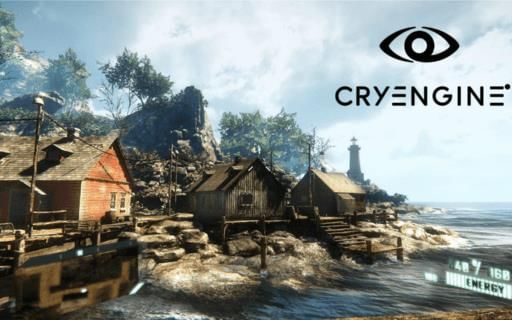
Explore engine-specific learning with the Godot Game: Learn and Master course or dive into Cry Engine Tutorial: Basics to Expert to understand high-fidelity game development.
How to Start Learning Game Development: A Complete Roadmap for Absolute Beginners
Starting game development with no experience can feel overwhelming, but a clear roadmap makes the journey manageable. Here is a step-by-step approach:
- Choose a game engine - Start with Unity or Godot, as both are beginner-friendly.
- Learn a programming language - C# for Unity, GDScript for Godot, or GML for GameMaker.
- Build small projects first - Complete short game tutorials before attempting larger games.
- Understand core concepts - Physics, collision detection, game loops, and asset management.
- Work on a live project - Apply skills with a real game development bootcamp project.
- Deploy and publish - Release your game on platforms like Google Play or Steam.
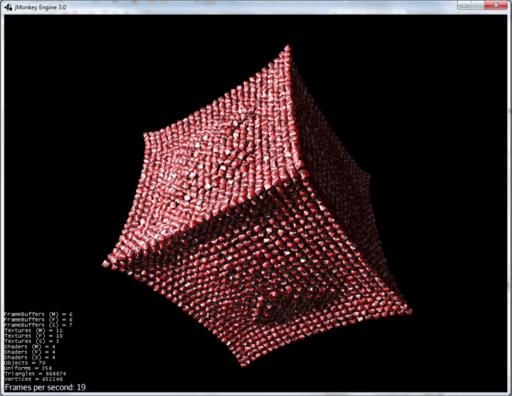
For those who prefer learning through Java, the jMonkeyEngine Shader Tutorial: A Complete Tutorial is an excellent resource covering 3D rendering and shaders. You can also begin with the Game Maker Tutorial: Build Games from Scratch if 2D game development is your focus.
C# for Game Development: Why It's the Most Essential Programming Language to Master
Among all programming languages used in game development, C# stands out as the most versatile and widely adopted - primarily because of its deep integration with Unity 3D, one of the most popular game engines in the world. For Indian developers targeting mobile and indie game markets, learning C# is practically non-negotiable.
C# is also supported optionally in Godot, giving you even more flexibility. Its syntax is clean, its community is massive, and the job market for C# game developers is strong. Whether you are building a 2D platformer or a complex 3D simulation, C# gives you the tools to get it done efficiently.
- Start with the C# Game Development: Game Making made Easy (English) course for a structured introduction.
- Progress to the Complete C# Unity 3D Game Development course to build production-ready games.
Unreal Engine 5 vs Unity 3D vs Godot: Which Game Engine Is Right for You?
This is the most common question among beginner game developers, and the honest answer depends on your goals. Here is a practical breakdown:
- Choose Unreal Engine 5 if you want to build visually stunning AAA-quality 3D games. UE5 introduced Nanite (virtualized geometry) and Lumen (dynamic global illumination), making it the engine of choice for high-end projects. Blueprints allow visual scripting without writing C++ code.
- Choose Unity 3D if you want wide platform support - it deploys to over 20 platforms including iOS, Android, PC, and WebGL. Unity uses C# and is ideal for both 2D and 3D game development.
- Choose Godot if you want a completely free, open-source engine with no royalty fees. It is especially strong for 2D games and has a rapidly growing community.
Explore Unreal Engine 5 with EduRev's Unreal Engine 5: The Complete Beginner's Course or go deeper with the hands-on Unreal Engine 5 Complete Game Development Bootcamp: Live Project.
Top Game Development Courses to Build Real Projects from Scratch
Practical, project-based learning is the fastest way to become a job-ready game developer. EduRev offers a comprehensive set of courses covering every major engine and tool in the industry. Below is a curated list of the best game development courses available:
| Course | Focus Area |
|---|---|
| Unreal Engine 5: The Complete Beginner's Course | 3D Game Development, UE5 Basics |
| UE5 Complete Game Development Bootcamp: Live Project | Real Project, Advanced UE5 |
| Complete C# Unity 3D Game Development | Unity, C#, 2D & 3D |
| Godot Game: Learn and Master | Open-source Engine, GDScript |
| Cry Engine Tutorial: Basics to Expert | High-fidelity 3D Graphics |
| Allegro: A Complete Guide | Low-level C/C++ Game Dev |
| Game Maker Tutorial: Build Games from Scratch | 2D Games, GML |
Career Opportunities in Game Development: Job Roles, Skills, and Growth Potential
The game development career landscape in India is expanding rapidly, with both domestic studios and global companies hiring Indian talent. Here are the most sought-after roles:
- Game Programmer / Game Developer - writes gameplay logic, AI systems, and physics engines
- Game Designer - designs gameplay mechanics, level structure, and player experience
- 3D Artist / 2D Artist - creates visual assets, characters, and environments
- Technical Artist - bridges art and programming through shaders and pipelines
- QA Tester - ensures the game is bug-free and delivers a smooth user experience
- Sound Designer - handles audio, music, and voice integration
Building a strong portfolio with real projects - including a live game development bootcamp - is what separates candidates in the job market. A game development certification from a recognised platform like EduRev adds credibility to your profile.
Essential Game Development Tools Every Developer Should Know About
Beyond game engines and programming languages, professional developers rely on a set of supporting tools to optimise their workflow and performance:
MSI Afterburner for Performance Monitoring
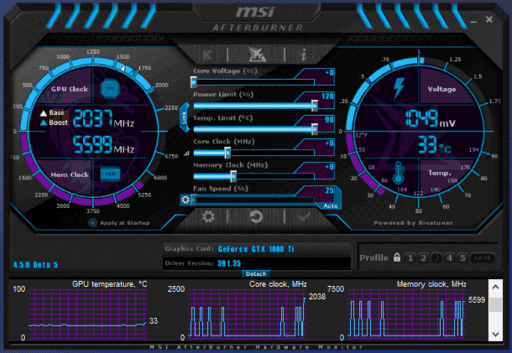
MSI Afterburner is a free GPU overclocking and monitoring utility developed by MSI in collaboration with RivaTuner. It works with graphics cards from all major manufacturers - NVIDIA, AMD, and Intel. Game developers use it to monitor real-time GPU/CPU performance, frame rates, temperature, and fan speed during game testing. Learn more through the MSI Afterburner: Understanding the Fundamentals course on EduRev.
TeamSpeak for Team Collaboration
Effective team communication is critical in any development environment. TeamSpeak is a low-latency VoIP platform widely used by gaming teams and development studios for real-time collaboration. Understanding how to set it up and use it effectively is a practical skill for any aspiring developer. Check out the TeamSpeak Tutorial to get familiar with the platform.
Also worth exploring is the Allegro: A Complete Guide, which covers this open-source C/C++ library - ideal for understanding low-level graphics and input handling concepts.
How Long Does It Take to Learn Game Development and Get Job-Ready?
This is one of the most searched questions among aspiring developers, and the answer varies based on your starting point and the depth of skills you want to achieve:
- Complete beginner (0-3 months) - Learn the basics of one engine, complete your first small game project using tutorials like the C# Game Making course.
- Intermediate level (3-9 months) - Build 3-5 projects, master one engine deeply, and learn shaders and optimisation techniques.
- Job-ready (9-18 months) - Complete a full game development bootcamp, work on a live project, and assemble a strong portfolio.
Consistency matters more than speed. Dedicating even 1-2 hours daily to structured learning on EduRev can help you make steady, measurable progress. Whether you are targeting indie game development, mobile games, or a role at a studio, the path forward starts with picking a course and beginning today.
Game Development FAQs
| 1. What exactly is game development and what do game developers actually do? |  |
| 2. What are the main programming languages used in game development for beginners? | |
| 3. How do I choose between Unity and Unreal Engine when starting game development? | |
| 4. What's the difference between 2D and 3D game development approaches? | |
| 5. How important is mathematics for learning game development seriously? | |
| 6. What should a beginner game developer learn first-art, coding, or game design? | |
| 7. How long does it realistically take to make a simple game from scratch? | |
| 8. What are the essential tools and software needed to start game development right now? | |
| 9. How do game developers handle physics and collision detection in games? | |
| 10. What's the best way to get better at game development if I'm struggling to finish projects? | |
 One subscription to unlock all Game Development Courses View Pricing Plans Starting @ $1 per month | |


