Prepare for Software Testing
with EduRev
Software Testing syllabus



All Courses for Software Testing



















What Is Software Testing? A Complete Beginner's Guide to QA Fundamentals
Software testing is the process of evaluating and verifying that a software application meets its specified requirements and is free of defects before it reaches end users. In today's tech-driven world, software testing has become one of the most sought-after skills in India's IT industry, with thousands of freshers and working professionals looking to build a solid QA career every year.
At its core, software testing ensures that the product behaves as expected across different scenarios. Whether you are a developer wanting to understand quality assurance or a beginner exploring a new career path, getting your software testing basics right is the first step. Start your journey with this comprehensive Software Testing Tutorials course on EduRev.
Types of Software Testing Every Developer and QA Engineer Should Know
Understanding the different types of software testing helps you choose the right approach for each situation. Broadly, testing is classified into functional and non-functional categories.
Functional Testing Types
- Unit Testing: Tests individual components or functions in isolation.
- Integration Testing: Verifies that different modules interact correctly with each other.
- Regression Testing: Ensures new code changes do not break existing functionality.
- Smoke Testing: A quick preliminary check to confirm basic build functionality.
- User Acceptance Testing (UAT): End users validate the software meets business needs.
Non-Functional Testing Types
- Performance Testing: Evaluates speed, scalability, and stability.
- Security Testing: Identifies vulnerabilities and risks in the application.
- Compatibility Testing: Checks software behavior across browsers, devices, and operating systems.
Testing Approaches
| Approach | Description | Best For |
|---|---|---|
| Black Box Testing | No knowledge of internal code; focuses on input/output | Functional validation |
| White Box Testing | Full knowledge of code; tests logic paths directly | Code coverage analysis |
| Grey Box Testing | Combination of both approaches | Integration testing scenarios |
Manual Testing vs Automation Testing: Key Differences and When to Use Each
One of the most common questions among beginners is: what is the difference between manual and automation testing? Both approaches have their place, and the best QA engineers know when to use each.
| Aspect | Manual Testing | Automation Testing |
|---|---|---|
| Execution | Performed by human testers | Performed by automated scripts and tools |
| Speed | Slower | Significantly faster for repetitive tasks |
| Best Use Case | Exploratory, usability, ad-hoc testing | Regression, load, and repetitive functional tests |
| Accuracy | Prone to human error | Highly accurate for repeatable tests |
| Initial Cost | Lower | Higher setup cost, lower long-term cost |
For teams following Agile or DevOps practices, automation testing integrates directly into the CI/CD pipeline through tools like Jenkins and GitHub Actions, enabling continuous testing with every code push. This practice, known as Shift-Left Testing, helps detect defects earlier and reduces rework costs significantly.
Best Software Testing Tools for Automation: Selenium, UFT, Tosca, and More
Choosing the right automation testing tool is critical for your QA career. Here is a quick overview of the most widely used tools in the industry today.
Selenium
Selenium is a free, open-source automation testing framework for web applications. It supports languages like Java, Python, C#, and JavaScript, and works with all major browsers. Its components - Selenium WebDriver, Selenium IDE, and Selenium Grid - make it the most popular choice for web test automation globally and in India.
HPE Unified Functional Testing (UFT)
UFT, formerly known as QTP (QuickTest Professional), is currently maintained by OpenText. It supports both GUI and API testing using VBScript and is widely adopted in enterprise environments. Explore Automation Training with HPE Unified Functional Testing 12.0 to get hands-on with UFT automation.
Tricentis Tosca
Tosca is a model-based, low-code/no-code automation tool by Tricentis that supports end-to-end testing across web, mobile, SAP, and API environments. Its risk-based testing approach makes it popular in large enterprises. Get started with Automation Training with Tosca Testsuite on EduRev.
SmartBear TestComplete and Telerik TestStudio
TestComplete by SmartBear supports desktop, web, and mobile testing with scripting in JavaScript, Python, and C#. Learn it through Automation Training with TestComplete. Telerik TestStudio, developed by Progress, offers record-and-playback testing with dedicated support for Telerik UI components - explore Telerik TestStudio: Automated Testing made Easy to master it quickly.
How to Learn Selenium Test Automation: A Step-by-Step Tutorial for Beginners
Selenium test automation is one of the most in-demand skills for QA engineers in India. Learning it step by step, from setting up WebDriver to writing your first test script, is the most effective approach for beginners.
EduRev offers dedicated beginner-friendly tutorials in both English and Hindi. If you prefer learning in English, check out the Selenium Test Automation: Tutorial for Beginners (English). For those more comfortable in Hindi, the Selenium Test Automation: Tutorial for Beginners (Hindi) is an excellent resource that covers Selenium WebDriver concepts in a clear, accessible way.
- Selenium WebDriver directly communicates with browsers without any intermediate server.
- Selenium Grid enables parallel test execution across multiple machines and browsers.
- Supports Java, Python, C#, Ruby, JavaScript, and Kotlin.
What Is A/B Testing and How Does It Work? From Experiment to Result
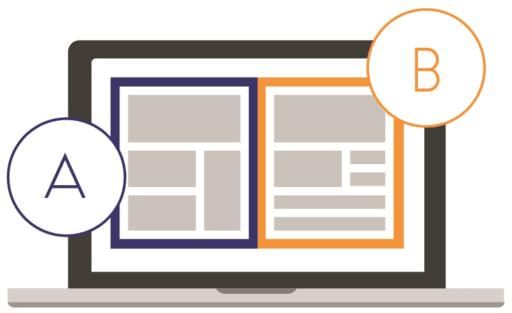
A/B testing, also called split testing, is an experimental methodology where two variants - A and B - of a webpage, feature, or UI element are compared to determine which performs better. It is widely used in product development, marketing, and UX design.
Key statistical concepts in A/B testing include statistical significance, confidence intervals, p-values, and sample size. A valid A/B test must always start with a clearly defined hypothesis and run until a sufficient sample size is reached. Popular platforms for A/B testing include Optimizely, VWO, and Adobe Target. To understand how to go from designing an experiment to interpreting results, explore the Introduction to A/B Testing: From Experiment to Result course.
Mobile App Testing: Tools, Techniques, and Best Practices for iOS and Android
With India being one of the world's largest smartphone markets, mobile app testing has become an essential skill for QA professionals. Mobile testing covers applications on both Android (by Google) and iOS (by Apple) platforms.
Key Mobile Testing Tools
- Appium: Open-source, cross-platform tool that works with both Android and iOS using the same API.
- Espresso: Google's native framework for Android app testing.
- XCUITest: Apple's native framework for iOS testing.
- BrowserStack: Cloud platform for real device testing.
An important consideration is real device testing vs. emulator/simulator testing. Real devices give the most accurate results, while emulators are faster and more cost-effective during early-stage development. Dive deeper into techniques and best practices with the Mobile App Testing: Learn and Master course on EduRev.
Top Software Testing Courses Online to Launch or Advance Your QA Career
EduRev brings together a curated set of software testing courses suitable for both beginners and experienced professionals looking to upskill. Whether you want to learn automation testing frameworks or dive into specialized tools, there is a course tailored for you.
- Software Testing Tutorials - ideal for those learning software testing from scratch
- Selenium Test Automation (English) and Selenium Test Automation (Hindi)
- UFT 12.0 Automation Training for enterprise QA roles
- Tosca Testsuite Automation Training
- TestComplete Automation Training
- Telerik TestStudio: Automated Testing
- Mobile App Testing
- A/B Testing: From Experiment to Result
Career in Software Testing: Job Roles, Required Skills, and Growth Path
A career in software testing offers strong growth potential in India's booming IT sector. Common job roles include Manual Tester, Automation Test Engineer, QA Analyst, Performance Test Engineer, and QA Lead. Many professionals also pursue the globally recognized ISTQB Certified Tester Foundation Level (CTFL) certification, which is accepted in over 100 countries and is an excellent credential to have when starting out.
Skills required include knowledge of testing types, proficiency in at least one automation tool (Selenium being the most in-demand), understanding of CI/CD pipelines, and familiarity with Agile methodologies. As you grow, specializing in performance testing, security testing, or mobile testing can significantly boost your career trajectory.
Rapid Prototyping and Demo Building: Why It Matters in the Software Testing Lifecycle
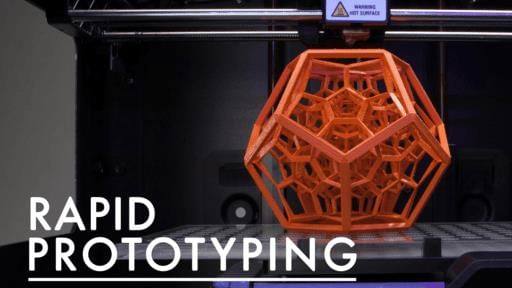
Rapid prototyping is the process of quickly building a working model or demo of a product to validate ideas and gather early feedback. It is closely connected to Agile and Lean development methodologies and plays a meaningful role in the software testing lifecycle - when teams prototype early, usability issues are identified before full development begins, drastically reducing rework costs.
Common tools used for rapid prototyping include Figma, Adobe XD, and InVision. For entrepreneurs and product teams looking to build quick, functional demos, the Rapid Prototyping for Entrepreneurs: Build a Quick Demo course on EduRev is a practical starting point that bridges the gap between ideation and testing-ready builds.
Software Testing FAQs
| 1. What is the difference between manual testing and automation testing? |  |
| 2. What are the main types of software testing I should know for my exams? | |
| 3. How do I write effective test cases for software testing? | |
| 4. What's the difference between black box testing and white box testing? | |
| 5. What does test coverage mean and why is it important? | |
| 6. How do I identify and report software defects properly? | |
| 7. What is regression testing and when should I perform it? | |
| 8. What are the best practices for test planning and test strategy? | |
| 9. How do I choose between functional testing and non-functional testing? | |
| 10. What is the software testing life cycle and its key phases? | |