Chapter Notes: Internet Protocol

➢ Protocols establish how two computers send and receive a message. Data packets travel between source and destination from one router to the next. The process of exchanging data packets is known as packet switching.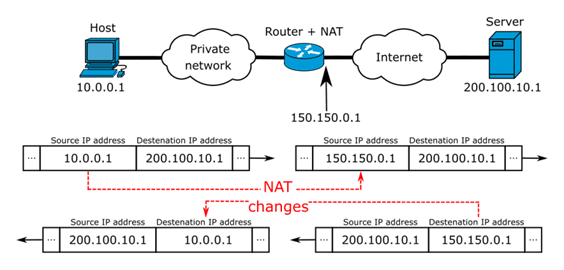 ➢ When two devices send messages to each other it is called handshaking - the client requests access, the server grants it, and the protocols are agreed. Once the handshaking process is complete, the data transfer can begin.
➢ Protocols manage key points about a message:
- speed of transmission
- size of the message
- error checking
- deciding if the transmission is synchronous or asynchronous
➢ TCP/IP (Transmission Control Protocol/Internet Protocol): TCP/IP (also known as the internet protocol suite) is the set of protocols used over the internet. It organises how data packets are communicated and makes sure packets have the following information: source - which computer the message came from, destination - where the message should go, packet sequence - the order in which the message data should be re-assembled, data - the data of the message, error check - the check to see that the message has been sent correctly.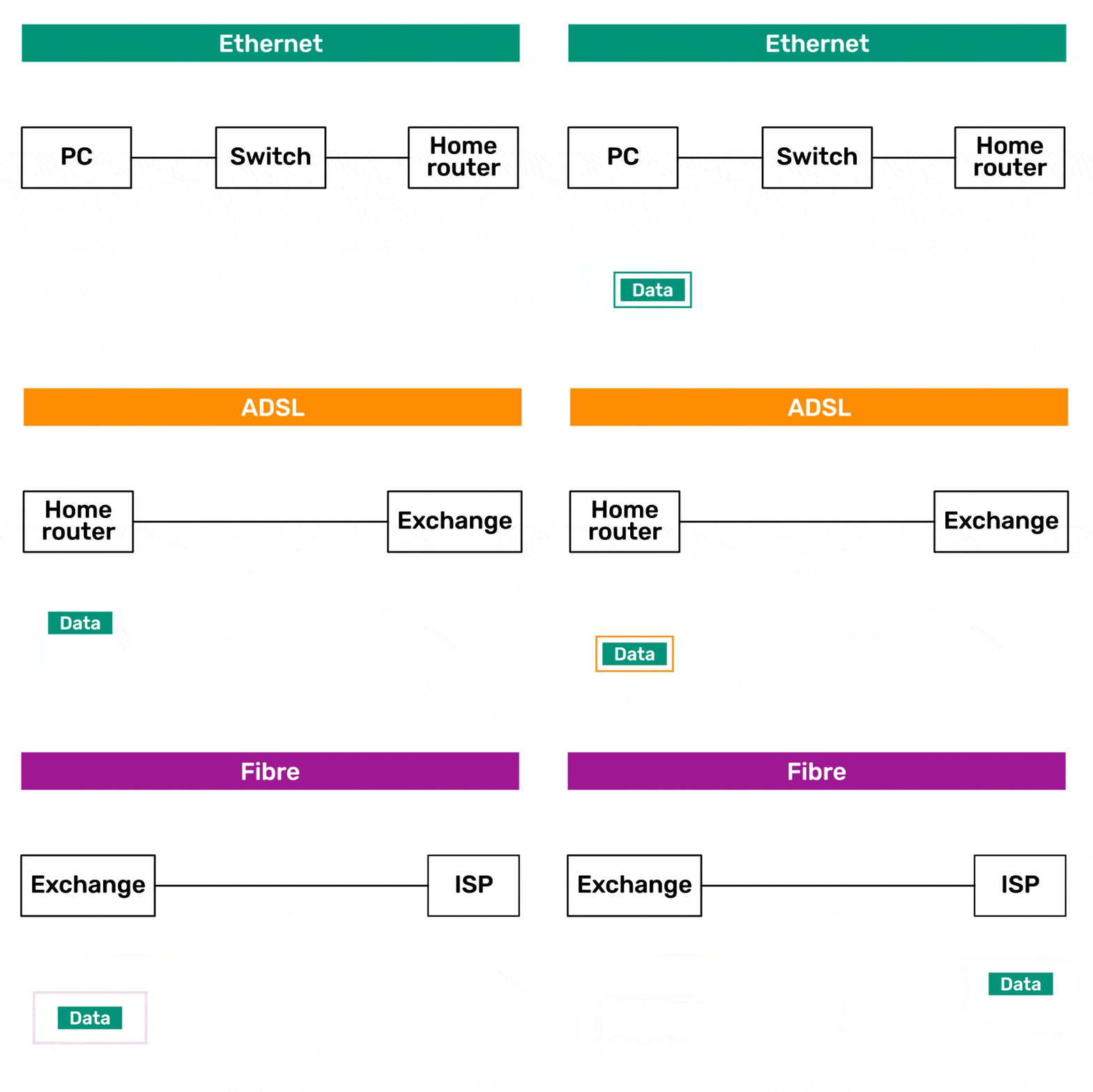 ➢ FTP: FTP is used to transfer large files. It is often used for organising files on a web server for a website. You can have private access to an area on an FTP server where you can upload your files. You can then give another user access to download the documents that you have shared.
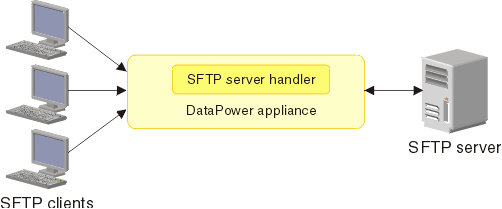
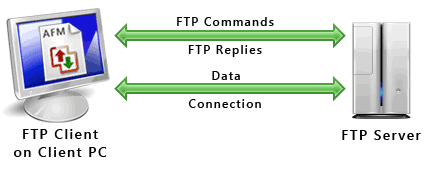 ➢ SFTP: It is the secure version of File Transfer Protocol (FTP).
 ➢ HTTP: HTTP transfers web pages from web servers to the client. All web page addresses start with http. An https address is a secure web address which has been encrypted. An https address is used for sites holding bank details and secure information.
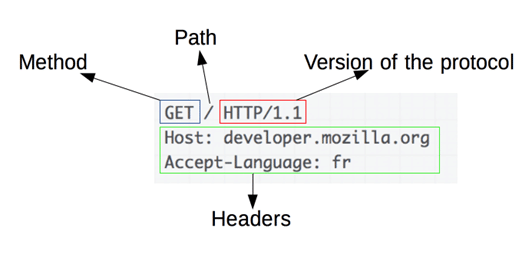 ➢ HTTP is a communication protocol. It defines mechanism for communication between browser and the web server. It is also called request and response protocol because the communication between browser and server takes place in request and response pairs.
➢ SMTP and POP3
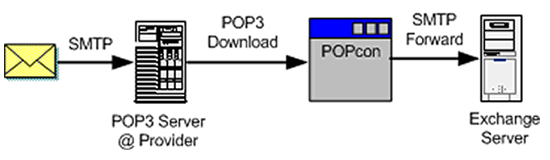
- Email uses these protocols to communicate with mail servers. SMTP is used to send the email; POP is used to receive email. Most email clients allow for transfers of up to 10 MB.
- SMTP is a standard electronic-mail protocol that handles the sending of mail from one SMTP to another SMTP server. To accomplish the transport, the SMTP server has its own MX (mail exchanger) record in the DNS database that corresponds to the domain for which it is configured to receive mail.
➢ TELNET: Short for Telecommunication Network, a virtual terminal protocol allowing a user logged on to one TCP/IP host to access other hosts on the network. Many people use remote control applications to access computers at their workplace from outside the network. In remote control, a session appears in which the user is able to manage the files on the remote computer, although the session appears to be functioning locally.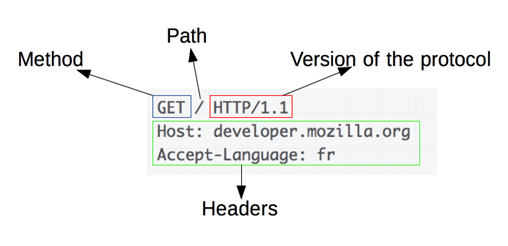 ➢ SSH (Secure Shell) is a program for logging in to and executing commands on a remote machine. It provides secure encrypted communications between two untrusted hosts over an insecure network
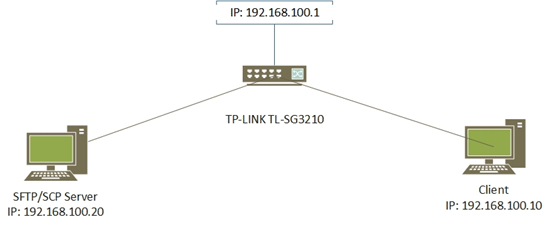
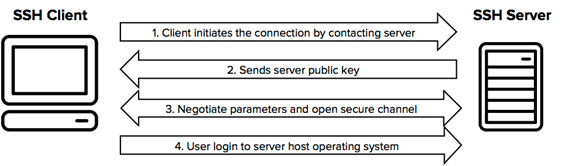 ➢ Secure copy (SCP) is a file transfer protocol, which helps in transferring computer files securely from a local host to a remote host. It works on the Secure Shell (SSH) protocol technique.
 ➢ VoIP: VoIP is a set of protocols that enables people to have voice conversations over the internet.
Know the Terms
➢ TCP/IP: Transmission Control Protocol / Internet Protocol
➢ SMTP: Simple Mail Transfer Protocol
➢ POP3: Post Office Protocol 3
➢ HTTP: HyperText Transfer Protocol
➢ HTTPS: HyperText Transfer Protocol Secure
➢ FTP: File Transfer Protocol
➢ TELNET: Telecommunications Network
➢ SFTP: Secure File Transfer Protocol
➢ PPP: Point to Point Protocol
FAQs on Chapter Notes: Internet Protocol
| 1. What exactly is an IP address and why do I need to know it for my Class 10 exam? |  |
| 2. What's the difference between IPv4 and IPv6, and which one will come in my board exams? | |
| 3. How do IP packets actually work and what information do they carry? | |
| 4. What are private IP addresses and public IP addresses, and when would I use each one? | |
| 5. Why do we need subnetting and how does it help organize networks for Class 10 Computer Applications? | |