Chapter Notes: Internet & Web services


Internet and Its Services
The Internet is a global network of interconnected computers and devices that communicate using standard protocols. It provides many services that make information access, communication and online transactions easy, fast and inexpensive. The rapid growth of the Internet is largely due to the wide variety of services available to users.
Accessing Information on the Internet
One of the most important advantages of the Internet is that it allows users to access information anywhere and at any time. Search engines help users find information on almost any topic by searching across billions of web pages.

Search Engines
A search engine is a software system that searches the World Wide Web for information matching the user's query and returns a list of relevant webpages. Popular search engines include Google, Yahoo! Search and Bing. To get good results, users should type relevant keywords and can use simple operators (for example, quotation marks to search for an exact phrase).
E-mail (electronic mail) is a service that allows sending and receiving messages electronically over the Internet. It is an efficient, inexpensive and near real-time means of communication.

E-mail Address
Each e-mail user is assigned a unique identifier called an e-mail address. A typical e-mail address has the form username@domainname. For example, webmaster@tutorialspoint.com has webmaster as the username and tutorialspoint.com as the domain name.
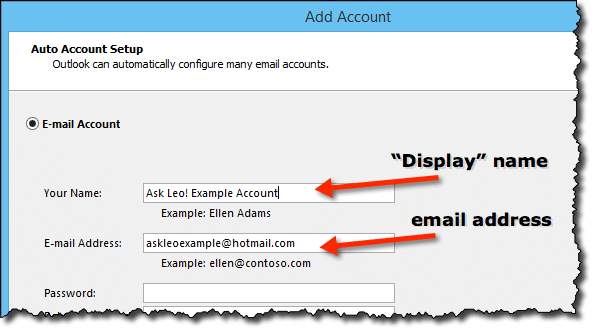
- The username and the domain name are separated by the @ (at) symbol.
- E-mail addresses are not case sensitive.
- Spaces are not allowed in e-mail addresses.
E-mail Message Components
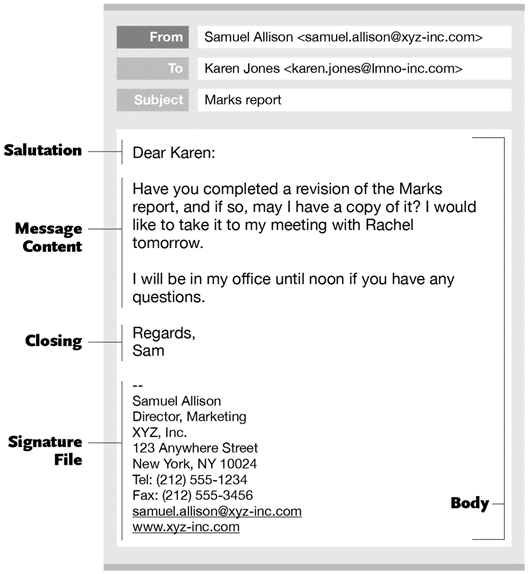
An e-mail message typically consists of the header, the greeting, the body/text and the signature.
E-mail Header
The header is usually the first part of an e-mail message and contains fields that describe the message and its routing. Common header fields include:
- From: The sender's e-mail address.
- Date: The date and time when the e-mail was sent.
- To: The recipient's e-mail address (the primary recipient).
- Subject: A short summary of the message. It should be precise and to the point.
- Cc: Carbon copy - lists recipients to be kept informed in addition to the primary recipient(s).
- Bcc: Blind carbon copy - copies are sent to these recipients without other recipients seeing their addresses.
Greeting
The greeting opens the message. Examples: Hi Sir, Dear Team, Hello.
Text (Body)
The text contains the actual content of the message. Keep it clear, polite and well structured.
Signature
The signature is the closing part of the e-mail and usually contains the sender's name, designation, organisation, and contact details.
Attachments and Mail Access
Files such as documents, images, audio or video can be attached to an e-mail message. Many e-mail services limit the size of attachments; large files are often shared using cloud links. E-mail can be accessed using a webmail interface (via a browser) or by an e-mail client using retrieval protocols such as POP3 or IMAP.
Advantages of E-mail
- Reliable: Messages are delivered accurately to recipient addresses.
- Convenient: Send documents and messages from anywhere with Internet access.
- Fast: Near real-time delivery.
- Inexpensive: Low or no cost for sending messages.
- Printable: Messages can be printed for records.
- Global: Reach recipients anywhere in the world.
- General purpose: Suitable for personal and business communication.
Disadvantages and Risks of E-mail
- Forgery: Sender addresses can be forged, so authenticity must be checked.
- Overload: High volume of messages may lead to missed or delayed responses.
- Misdirection: Messages sent to wrong addresses can leak confidential information.
- Junk (spam): Unsolicited messages that clutter the inbox.
- No response: Important messages may be ignored or overlooked.
Spam, Phishing and Netiquette
Spam are unsolicited bulk messages. Use spam filters and avoid publishing your e-mail address publicly to reduce spam. Phishing is an attempt to obtain sensitive information by impersonating a trustworthy entity; do not click suspicious links or disclose passwords. Follow basic netiquette: be polite, use clear subject lines, avoid ALL CAPS, and reply promptly when appropriate.
Chat and Instant Messaging
Chat is real-time text communication between two or more users. Instant messaging services allow quick exchange of text, images, audio and small videos. Examples include messaging features in WhatsApp, Google Chat and many other apps. Instant messengers commonly provide group chat, file sharing and presence indicators (showing who is online).
Voice and Video Communication
Voice over IP (VoIP) enables voice calls over the Internet. Applications like Skype and WhatsApp support voice calls and video chat, allowing users to see and hear each other in real time.
Video Conferencing
Video conferencing allows people at two or more locations to communicate using audio and video. It uses microphones, cameras and displays to transmit live audio and video over networks. Video conferencing is useful for remote meetings, online classes and interviews.

Blogs
A blog (short for weblog) is a website or part of a website containing regular entries or posts, often in reverse chronological order. Blogging is the activity of writing and maintaining a blog; a person who writes a blog is a blogger. Popular blog hosting services include www.blogger.com and www.wordpress.com.
Social Networking
Social networking sites help people build online communities based on shared interests, relationships and activities. Users connect with friends, family and colleagues to chat, share updates, play games and collaborate. Common social networks include Facebook, Twitter and LinkedIn.

Other Important Internet Services and Applications
- e-commerce: Buying and selling goods or services online. It allows users to compare products and purchase from home.
- e-Governance: Government services delivered electronically to citizens and organisations. The national portal of India (http://india.gov.in) and Digital India initiatives provide many online citizen services such as document storage, grievance redressal, and information portals.
- e-Business: Use of technology to perform business transactions and manage business operations.
- e-Learning: Technology used to deliver teaching and training. Platforms such as www.w3schools.com and www.khanacademy.com offer tutorials and courses.
- e-Banking: Performing banking transactions online via bank websites or apps.
- e-Shopping: Purchasing goods and services over the Internet through online stores.
- e-Reservation: Booking tickets, hotel rooms or other services online through websites or apps.
- e-Groups: Email groups and online forums that allow users with similar interests to communicate and share information.
Cloud Computing
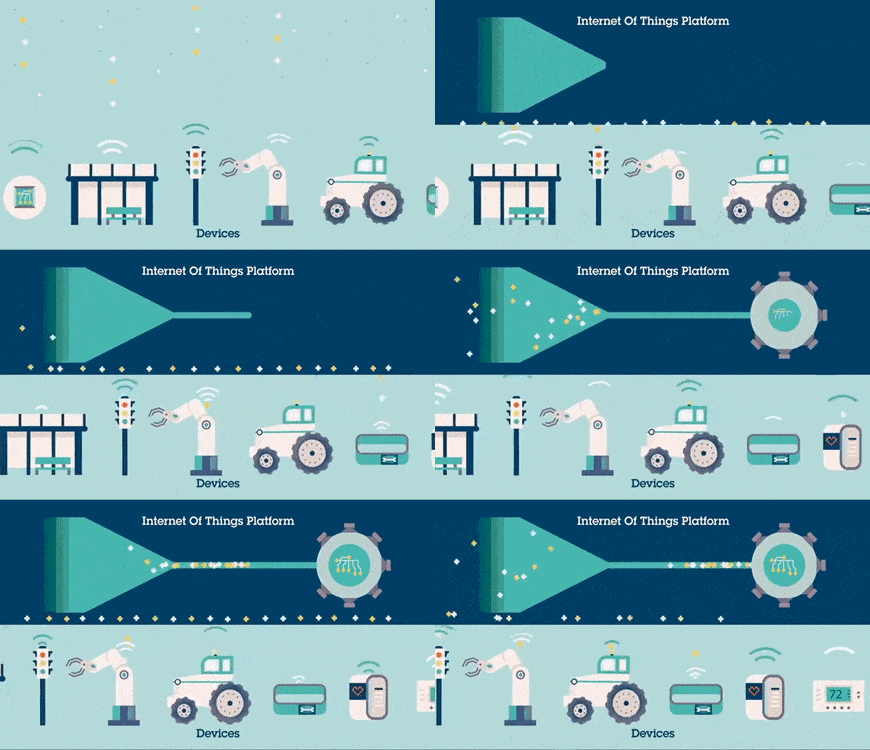
Cloud computing is Internet-based computing in which IT resources-such as storage, applications and processing-are provided over the Internet (the cloud). Organisations and individuals can use these resources on demand without owning and maintaining the underlying hardware or software.
- Pay only for the services used; no need to buy and maintain expensive hardware and software.
- Online access to a wide range of applications and storage from any device with an Internet connection.
- Cost savings by renting software and infrastructure as needed.
- Examples: Dropbox, Microsoft SkyDrive, Google Drive.
Web Services
Web services are a set of standards and protocols for exchanging data between applications over the Internet. They allow direct application-to-application interaction and are used to integrate different systems.
The basic web services platform uses XML for data format and HTTP as the transport protocol. Standard components and terms associated with web services include:
- SOAP (Simple Object Access Protocol): A protocol for exchanging structured information in web services.
- UDDI (Universal Description, Discovery and Integration): A registry for listing web services and their descriptions so they can be discovered.
- WSDL (Web Services Description Language): An XML format for describing network services as a set of endpoints operating on messages.
Glossary - Know the Terms
- E-mail: Electronic mail.
- Cc: Carbon copy - to send a copy of an e-mail to additional recipients.
- Bcc: Blind carbon copy - to send a copy without revealing recipient addresses to others.
Summary
The Internet offers many services-search engines, e-mail, chat, voice and video communication, social networking, e-commerce, e-governance, cloud computing and web services-that have transformed how we access information, communicate and carry out transactions. Understanding the uses, benefits and risks of each service helps users make effective and safe choices while using online resources.
FAQs on Chapter Notes: Internet & Web services
| 1. What are internet and web services? |  |
| 2. How do internet and web services work? | |
| 3. What are the common web services used on the internet? | |
| 4. How do internet and web services impact our daily lives? | |
| 5. What are some challenges or risks associated with internet and web services? | |