CSS RGB, RGBA, HEX & HSL Colors

CSS RGB Colors
An RGB color value represents RED, GREEN, and BLUE light sources.
RGB Value
- In CSS, a color can be specified as an RGB value, using this formula:
rgb(red, green, blue) - Each parameter (red, green, and blue) defines the intensity of the color between 0 and 255.
- For example, rgb(255, 0, 0) is displayed as red, because red is set to its highest value (255) and the others are set to 0.
- To display black, set all color parameters to 0, like this: rgb(0, 0, 0).
- To display white, set all color parameters to 255, like this: rgb(255, 255, 255).
Experiment by mixing the RGB values below:

Example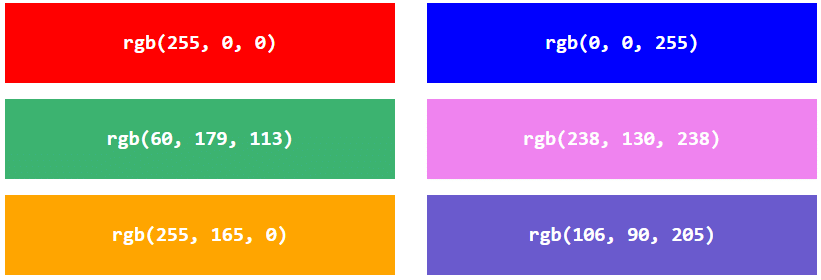
Shades of gray are often defined using equal values for all the 3 light sources:
Example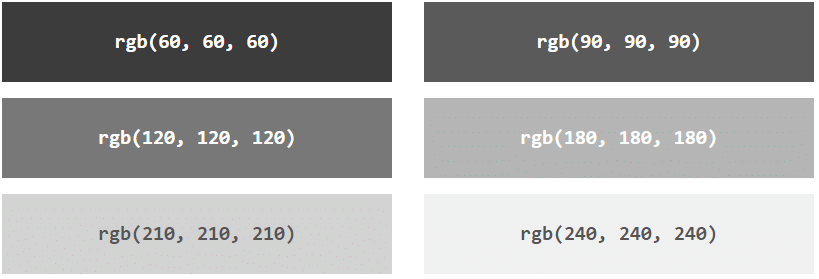
RGBA Value
- RGBA color values are an extension of RGB color values with an alpha channel - which specifies the opacity for a color.
- An RGBA color value is specified with:
rgba(red, green, blue, alpha) - The alpha parameter is a number between 0.0 (fully transparent) and 1.0 (not transparent at all)
Experiment by mixing the RGBA values below:
Example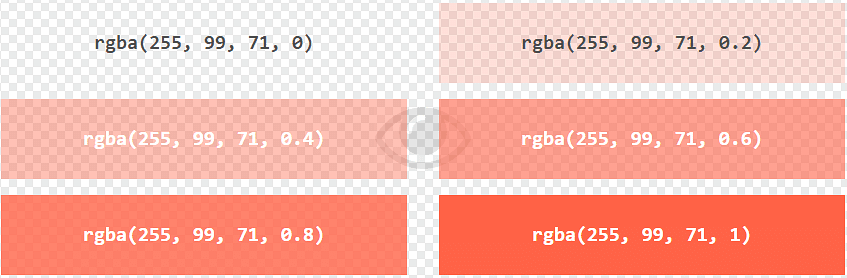
CSS HEX Colors
A hexadecimal color is specified with: #RRGGBB, where the RR (red), GG (green) and BB (blue) hexadecimal integers specify the components of the color.
HEX Value
- In CSS, a color can be specified using a hexadecimal value in the form:
#rrggbb - Where rr (red), gg (green) and bb (blue) are hexadecimal values between 00 and ff (same as decimal 0-255).
- For example, #ff0000 is displayed as red, because red is set to its highest value (ff) and the others are set to the lowest value (00).
- To display black, set all values to 00, like this: #000000.
- To display white, set all values to ff, like this: #ffffff.
Experiment by mixing the HEX values below:

Example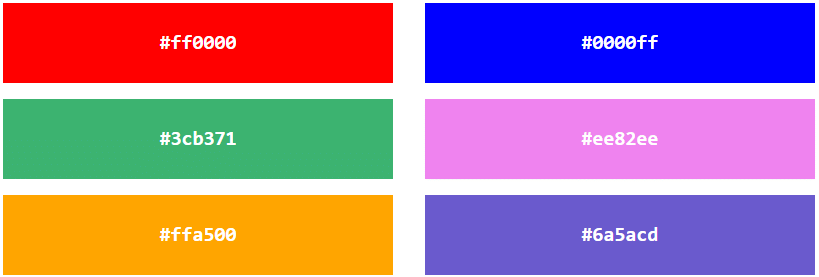
Shades of gray are often defined using equal values for all the 3 light sources:
Example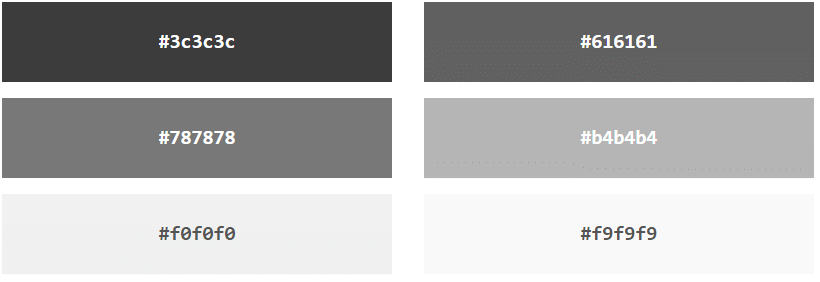
3 Digit HEX Value
- Sometimes you will see a 3-digit hex code in the CSS source.
- The 3-digit hex code is a shorthand for some 6-digit hex codes.
- The 3-digit hex code has the following form:
#rgb - Where r, g, and b represents the red, green, and blue components with values between 0 and f.
- 3-digit hex code can only be used when both the values (RR, GG, and BB) are the same for each components. So, if we have #ff00cc, it can be written like this: #f0c.
Here is an example:
Example
body {
background-color: #fc9; /* same as #ffcc99 */
}
h1 {
color: #f0f; /* same as #ff00ff */
}
p {
color: #b58; /* same as #bb5588 */
}
CSS HSL Colors
HSL stands for hue, saturation, and lightness.
HSL Value
- In CSS, a color can be specified using hue, saturation, and lightness (HSL) in the form:
hsl(hue, saturation, lightness) - Hue is a degree on the color wheel from 0 to 360. 0 is red, 120 is green, and 240 is blue.
- Saturation is a percentage value, 0% means a shade of gray, and 100% is the full color.
- Lightness is also a percentage, 0% is black, 50% is neither light or dark, 100% is white
Experiment by mixing the HSL values below:

Example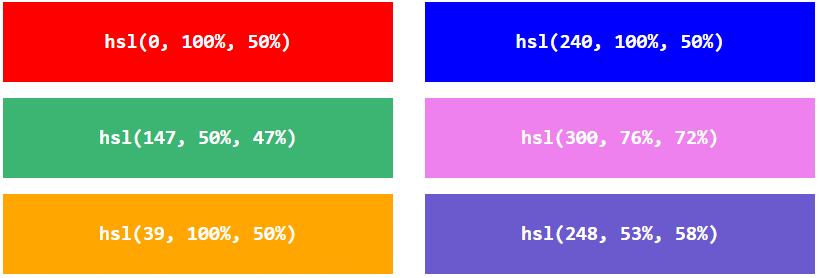
Saturation
- Saturation can be described as the intensity of a color.
- 100% is pure color, no shades of gray
- 50% is 50% gray, but you can still see the color.
- 0% is completely gray, you can no longer see the color.
Example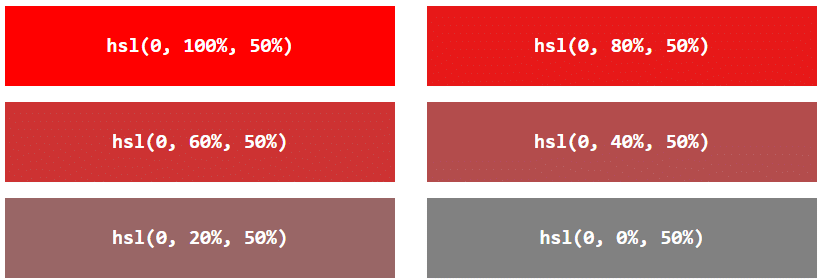
Lightness
The lightness of a color can be described as how much light you want to give the color, where 0% means no light (black), 50% means 50% light (neither dark nor light) 100% means full lightness (white).
Example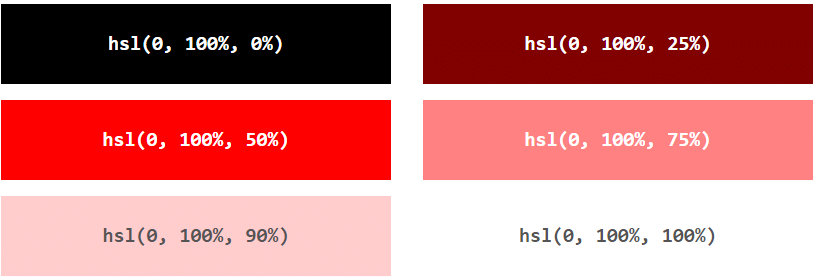
Shades of Gray
Shades of gray are often defined by setting the hue and saturation to 0, and adjust the lightness from 0% to 100% to get darker/lighter shades:
Example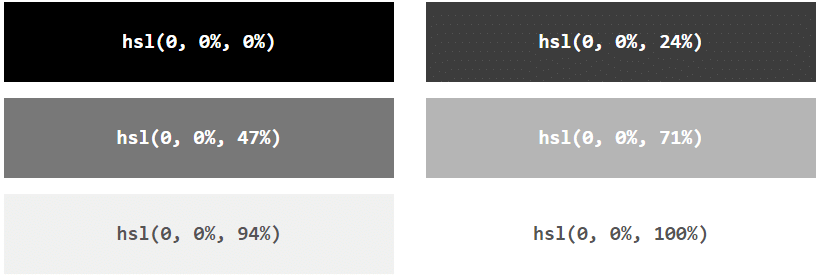
HSLA Value
- HSLA color values are an extension of HSL color values with an alpha channel - which specifies the opacity for a color.
- An HSLA color value is specified with:
hsla(hue, saturation, lightness, alpha) - The alpha parameter is a number between 0.0 (fully transparent) and 1.0 (not transparent at all):
Experiment by mixing the HSLA values below: