OSI Model

What is OSI Model? - Layers of OSI Model
The OSI Model, which stands for Open Systems Interconnection, refers to a non-proprietary framework consisting of seven layers, each designated with a specific function. These layers collaborate to facilitate data transmission from one individual to another worldwide. The OSI reference model was developed by the International Organization for Standardization (ISO) in 1984.
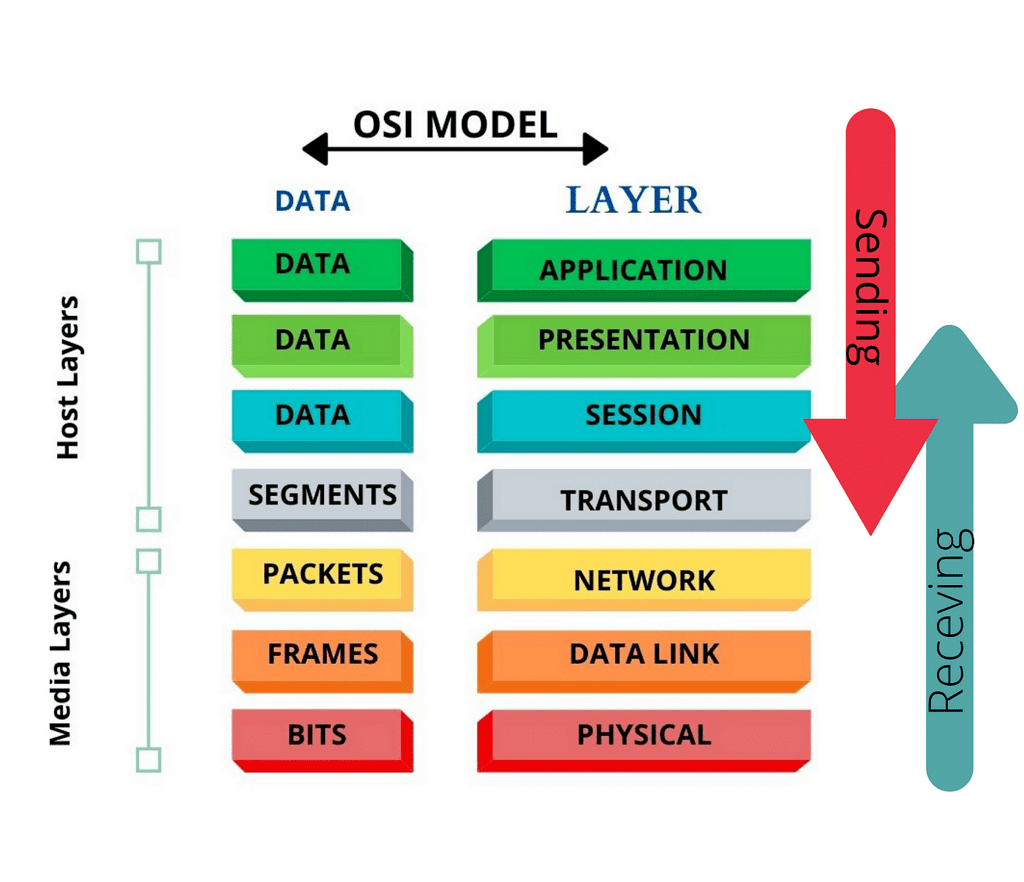
While the OSI model offers a theoretical foundation for comprehending network communication, it is typically not implemented in its entirety in real-world networking hardware or software. Instead, various protocols and technologies are designed based on the principles of the OSI model to ensure efficient data transmission and networking operations.
What Are The 7 Layers of The OSI Model?
The OSI model consists of seven layers, arranged from lowest to highest:
- Physical Layer
- Data Link Layer
- Network Layer
- Transport Layer
- Session Layer
- Presentation Layer
- Application Layer
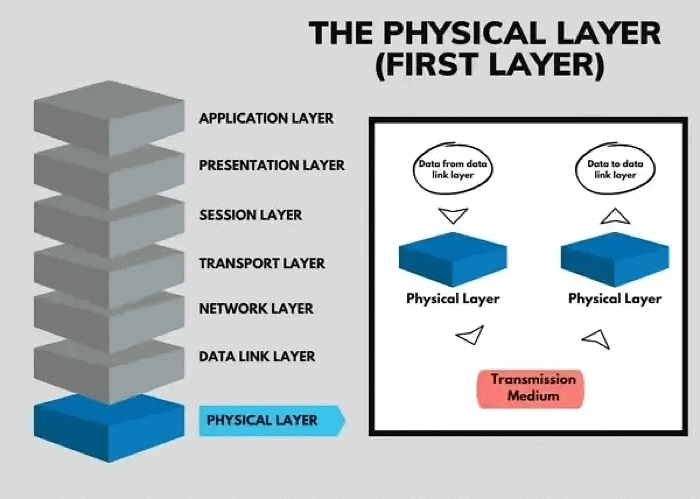
1.Physical Layer - Layer 1
The Physical Layer is the lowest layer, responsible for the physical connection between devices, transmitting data as bits.

Functions:
- Bit Synchronization: Provides bit-level synchronization using a clock.
- Bit Rate Control: Defines the transmission rate (bits per second).
- Physical Topologies: Specifies device arrangement (bus, star, mesh).
- Transmission Mode: Defines data flow modes (simplex, half-duplex, full-duplex).
Devices: Hub, Repeater, Modem, Cables.
Note: Network Layer, Data Link Layer, and Physical Layer are known as Lower Layers or Hardware Layers.
2.Data Link Layer (DLL) - Layer 2
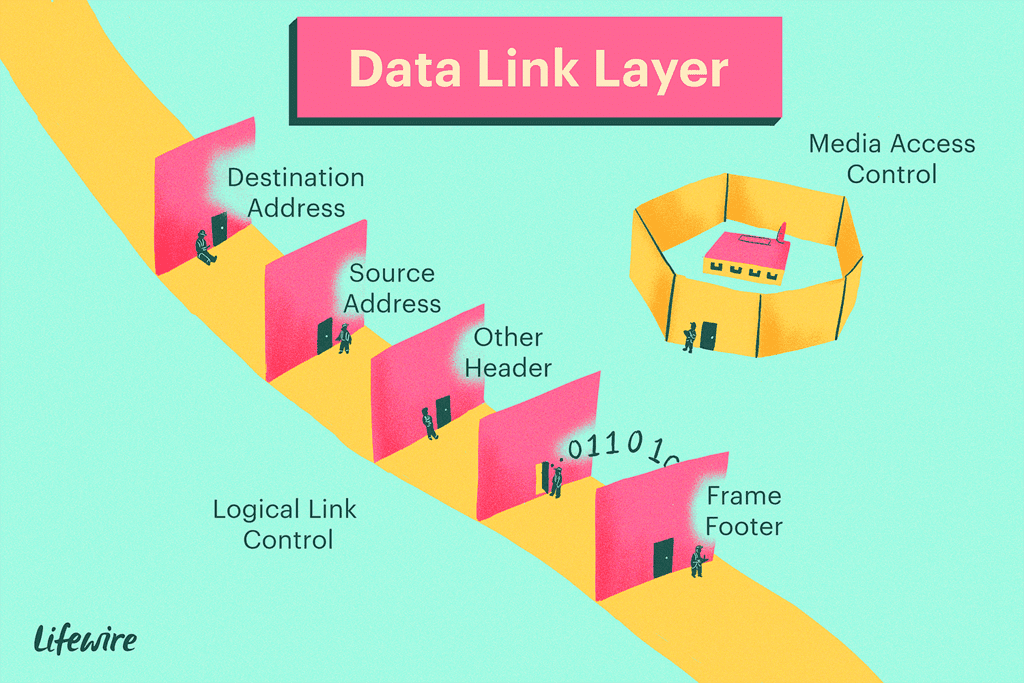
The Data Link Layer ensures error-free data transfer between nodes over the physical layer, using MAC addresses.
Functions:
- Framing: Transmits meaningful bits by attaching special bit patterns.
- Physical Addressing: Adds MAC addresses to frames.
- Error Control: Detects and retransmits damaged or lost frames.
- Flow Control: Coordinates data rate between sender and receiver.
- Access Control: Determines device control over a shared communication channel.
Devices: Switch, Bridge.
Note: Data Link Layer packets are called Frames. Managed by NIC and device drivers.
3.Network Layer - Layer 3
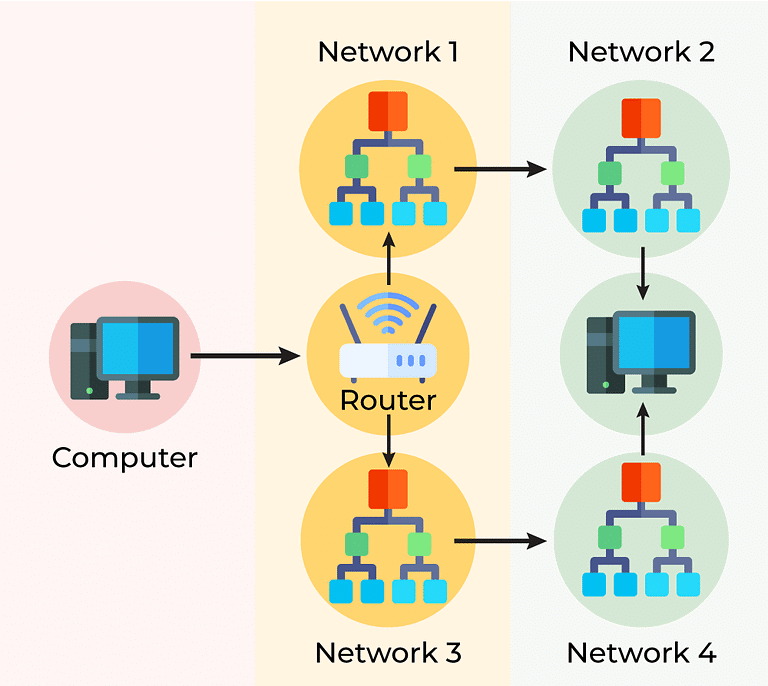
The Network Layer handles data transmission between different networks, routing packets by selecting the optimal path.
Functions:
- Routing: Determines the best route for packet transmission.
- Logical Addressing: Uses IP addresses to uniquely identify devices.
Devices: Routers, Switches.
Note: Network Layer packets are called Packets.
4.Transport Layer - Layer 4
The Transport Layer provides end-to-end data delivery, acknowledging successful transmission and retransmitting data if errors occur.
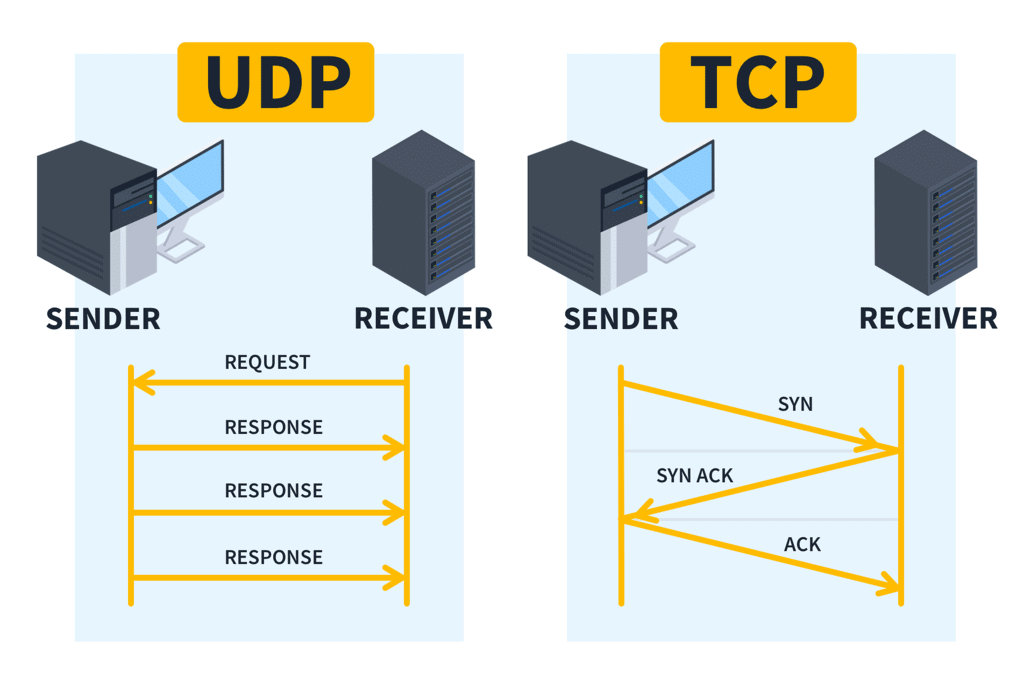
Functions:
- Segmentation and Reassembly: Breaks messages into segments and reassembles them at the destination.
- Service Point Addressing: Uses port addresses to ensure data is delivered to the correct process.
Services:
- Connection-Oriented Service: Reliable and secure transmission with acknowledgments.
- Connectionless Service: Faster communication without acknowledgments.
Devices/Protocols: TCP, UDP, NetBIOS, PPTP.
Note: Transport Layer packets are called Segments. Managed by the OS.
5.Session Layer - Layer 5
The Session Layer manages session establishment, maintenance, and termination, ensuring secure communication.
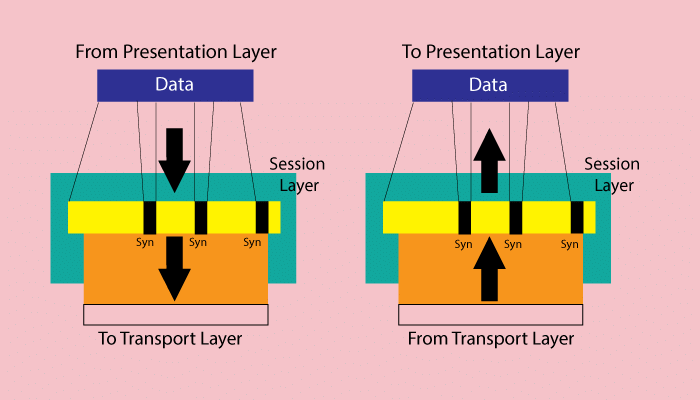
Functions:
- Session Establishment, Maintenance, Termination: Manages connection lifecycle.
- Synchronization: Adds checkpoints for error identification and data re-synchronization.
- Dialog Controller: Manages communication modes (half-duplex, full-duplex).
Devices/Protocols: NetBIOS, PPTP.
Note: Integrated with Presentation and Application layers in the TCP/IP model as the "Application Layer."
6,Presentation Layer - Layer 6
The Presentation Layer, also known as the Translation Layer, formats and encrypts data for network transmission.
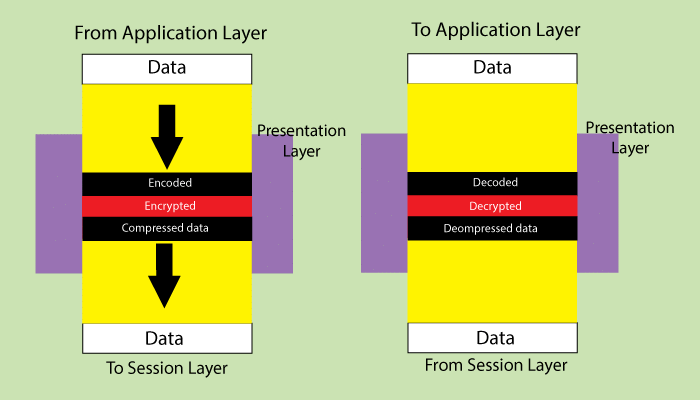
Functions:
- Translation: Converts data formats (e.g., ASCII to EBCDIC).
- Encryption/Decryption: Translates data into ciphertext and back to plaintext.
- Compression: Reduces the number of bits for transmission.
Devices/Protocols: JPEG, MPEG, GIF.
7.Application Layer - Layer 7
The Application Layer interfaces with network applications, generating data for transmission and displaying received information.
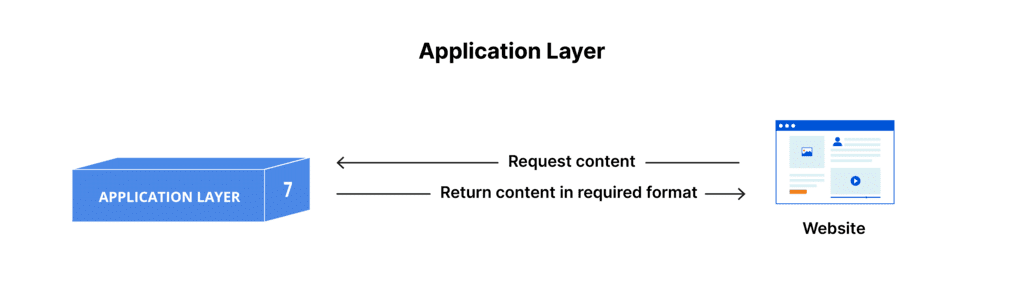
Functions:
- Network Virtual Terminal (NVT): Allows remote host login.
- File Transfer Access and Management (FTAM): Manages remote file access and control.
- Mail Services: Provides email functionality.
- Directory Services: Provides global information access.
Devices/Protocols: SMTP.
Note: Also known as the Desktop Layer.
Note: The OSI model is a reference model and is not implemented on the internet due to its late invention. The current model in use is the TCP/IP model.
FAQs on OSI Model
| 1. What are the 7 layers of the OSI model and what does each one do? |  |
| 2. Why do we need the OSI model when TCP/IP model exists? | |
| 3. How do data packets move through the OSI layers during transmission and reception? | |
| 4. What's the difference between the Data Link layer and Network layer in the OSI model? | |
| 5. How do I remember all seven OSI layers quickly for my exams? | |



 | Explore Courses for Computer Science Engineering (CSE) exam |  |
 | Get EduRev Notes directly in your Google search | |