


 | INFINITY COURSE Ableton Live – music production, beats & arrangementMusicWay · Last updated on Apr 14, 2026 |
Ableton Live – music production, beats Study Material
|



Trending Courses for Music

What is Ableton Live and Why Learn Music Production with Ableton?
Ableton Live is a professional digital audio workstation (DAW) that has revolutionized how musicians, producers, and sound engineers create music in 2026. Developed by Ableton AG, this powerful software runs seamlessly on both Windows and macOS, making it accessible to Indian students and professionals regardless of their platform preference. Unlike traditional linear DAWs, Ableton Live offers a unique dual-interface system that caters to both creative experimentation and professional production workflows.
For aspiring music producers in India, learning Ableton Live opens doors to exciting career opportunities in electronic music production, film scoring, podcasting, and live performance. The software has become the industry standard for house, techno, dubstep, hip-hop, and experimental music genres. Whether you're a college student exploring music production as a hobby or a professional looking to upskill, an Ableton Live course provides comprehensive training that transforms you into a capable music producer.
Our free Ableton Live course is designed specifically for beginners who want to master this powerful platform. Through structured video tutorials and practical exercises, you'll progress from basic interface navigation to advanced production techniques. Start your journey by exploring our Ableton Live Ultimate Course 01 - Intro module, which sets the foundation for your learning path.
Why Ableton Live Stands Out
- Session View for non-linear, clip-based music creation and live jamming
- Arrangement View for traditional timeline-based production and final mixing
- Extensive library of built-in instruments and audio effects
- Superior MIDI capabilities and music production flexibility
- VST plugin support for unlimited creative expansion
- Professional-grade tools used in commercial studios across India and globally
Getting Started with Ableton Live: Essential Setup and Interface Guide
Setting up Ableton Live correctly is crucial for a smooth music production journey. The initial configuration determines your workflow efficiency and creative potential. Many beginners overlook this step, but proper setup ensures you can focus on making music rather than troubleshooting technical issues.
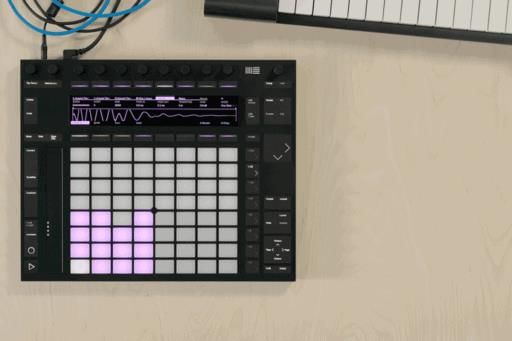
Your Ableton Live setup begins with understanding the hardware requirements. You'll need a capable computer, a digital audio interface (soundcard), MIDI controllers, and monitoring equipment. Our detailed Ableton Live Ultimate Course 02 - Gear; Soundcards & Controllers guide walks you through selecting appropriate equipment within various budget ranges, essential for Indian producers working with limited resources.
Next, configuring your Ableton Live preferences and audio settings is critical. The Ableton Live Ultimate Course 03 - Setup & Preferences module covers everything from audio driver configuration to latency optimization, ensuring professional-quality recording and playback.
Understanding the Ableton Live Interface
The Ableton Live interface consists of two primary views that serve different production purposes. The Ableton Live Ultimate Course 05 - The Interface (Session & Arrangement) explains how these views complement each other, allowing you to switch between non-linear clip-based creation and traditional timeline-based arrangement seamlessly.
Mastering the Browser is essential for efficient production workflow. Your Ableton Live Ultimate Course 06 - The Browser & VST Plugins teaches you how to organize samples, presets, and plugins effectively, saving countless hours during production sessions.
Free Ableton Live Course: Complete Tutorial for Beginners
Starting your music production education with a comprehensive free Ableton Live course eliminates the financial barrier that often prevents talented Indian students from pursuing their passion. Our complete tutorial covers 48 chapters, progressing logically from absolute beginner concepts to advanced professional techniques.
The best Ableton Live course structure builds knowledge progressively. After hardware setup and interface familiarization, you'll explore the fundamental building blocks of music production. Understanding how audio and MIDI channels work forms the foundation for all subsequent learning. The Ableton Live Ultimate Course 07 - Audio & MIDI Channels introduces these critical concepts in an accessible manner.
As you progress through the Ableton Live ultimate course, each lesson builds on previous knowledge. Early modules focus on interface navigation, while later sections delve into advanced production techniques. This comprehensive approach ensures that by completing the course, you'll possess both the theoretical knowledge and practical skills needed for professional music production.
Course Learning Path
| Learning Stage | Focus Area | Key Modules |
|---|---|---|
| Foundations | Setup, Interface, Basic Concepts | Intro to Clips & Scenes, Grids |
| Core Production | Recording, Editing, Basic Effects | Audio Clips, MIDI Clips, EQ & Filters |
| Advanced Techniques | Complex Effects, Automation, Routing | Sidechaining, Warping, Advanced EQing |
| Professional Skills | Mixing, Mastering, Live Performance | Mixing Techniques, Session View Jamming |
Understanding MIDI and Audio in Ableton Live Music Production
MIDI (Musical Instrument Digital Interface) and audio represent two distinct but complementary elements of modern music production. Understanding how MIDI and audio interact in Ableton Live is fundamental to creating professional-quality music. MIDI carries performance data-note information, velocity, timing-while audio represents actual sound waveforms.
In Ableton Live, MIDI channels contain virtual instruments that generate sound, while audio channels contain recorded audio files. The Ableton Live Ultimate Course 04 - Are We Recieving MIDI? addresses common MIDI connection issues, ensuring your external controllers communicate properly with Ableton.
Working with MIDI clips requires understanding quantization, overdubbing, and editing techniques. The Ableton Live Ultimate Course 14 - Midi Clips teaches you how to create, edit, and manipulate MIDI performances, while the Ableton Live Ultimate Course 13 - Audio Clips covers audio clip editing and manipulation.
MIDI Recording and Editing
- Recording MIDI performances from external keyboards and controllers
- Quantizing notes to correct timing imprecisions
- Editing velocity, duration, and note positions
- Using MIDI overdub for layered performances
- Converting melody and harmony to MIDI data
For advanced MIDI capabilities, explore the Ableton Live Ultimate Course 33 - Midi Overdub & Quantization module, which covers professional recording techniques used in Indian recording studios.
Mastering Ableton Live Effects: Reverb, Delay, EQ, and Dynamics Processing
Effects processing transforms raw recordings into polished, professional-sounding productions. Ableton Live provides excellent built-in effects that rival expensive third-party plugins. Understanding EQ, compression, reverb, and delay forms the core of professional mixing skills essential for any aspiring music producer.
Equalization (EQ) shapes the frequency content of your audio. The Ableton Live Ultimate Course 15 - EQs & Filters teaches you to identify and address frequency imbalances, while the Ableton Live Ultimate Course 37 - Advanced EQing & Oversampling covers sophisticated frequency management techniques.
Dynamics processing controls volume levels over time. Compression reduces dynamic range, while expansion increases it. The Ableton Live Ultimate Course 17 - Dynamics explores compression settings, sidechain techniques, and envelope followers for creative sound design.
Space effects like reverb and delay add dimension to your mixes. The Ableton Live Ultimate Course 18 - Reverb & Delays explains how these effects work and their practical applications in different music genres.
Essential Effects Guide
| Effect Type | Primary Purpose | Common Applications |
|---|---|---|
| EQ Eight | Frequency shaping and balance | Cleaning vocals, brightening drums |
| Compressor | Dynamic range control | Taming loud peaks, adding punch |
| Reverb | Space and ambience | Creating depth, simulating rooms |
| Echo/Delay | Time-based repetition | Adding space, creating rhythm |
Ableton Live Instruments Guide: Analog, Operator, Sampler, and Drum Racks
Ableton Live includes an impressive collection of virtual instruments for sound synthesis and sampling. These instruments form the creative core of your music production toolkit. The Ableton Live Ultimate Course 23 - Analog Part 1 and Ableton Live Ultimate Course 24 - Analog Part 2 introduce Analog, a virtual analog synthesizer perfect for creating bass lines, leads, and atmospheric pads.
The Operator synthesizer uses FM synthesis, enabling complex, evolving timbres. Discover its possibilities in the Ableton Live Ultimate Course 25 - Operator module. For sampling-based sound design, the Ableton Live Ultimate Course 27 - Simpler & Sampler teaches you to manipulate audio samples creatively.
Drum Racks revolutionize beat creation by mapping drum sounds across your keyboard. The Ableton Live Ultimate Course 28 - Drum Racks demonstrates how to build professional drum kits and program engaging patterns.
Advanced Ableton Techniques: Automation, Warping, and Sidechaining
Moving beyond basic music production, advanced techniques separate amateur productions from professional releases. Automation breathes life into static arrangements by automating parameter changes over time. The Ableton Live Ultimate Course 10 - Intro To Automation introduces fundamental automation concepts, while the Ableton Live Ultimate Course 38 - Automation Lanes & Macros covers advanced automation workflows.
Warping allows you to time-stretch audio without changing pitch, or vice versa. This essential feature is covered in the Ableton Live Ultimate Course 30 - Warping module, enabling you to match audio tempo and create seamless transitions.
Sidechaining uses the level of one track to modulate the volume of another, creating the pumping effect common in dance music. The Ableton Live Ultimate Course 36 - Envelope Followers & Sidechaining explains this powerful technique for adding rhythmic interest and clarity to your mix.
Recording and Mixing in Ableton Live: Professional Audio Production
Recording quality performances and mixing them effectively determines your final product quality. The Ableton Live Ultimate Course 32 - Recording Audio & Midi covers proper recording techniques, signal flow, and monitoring considerations essential for capturing clean recordings.
Professional mixing involves balancing multiple tracks, applying effects, and creating spatial relationships. Learn comprehensive mixing techniques including parallel processing through the Ableton Live Ultimate Course 34 - Parallel Channels; Groups & Sends module.
The Ableton Live Ultimate Course 31 - Routing teaches proper signal flow and bus organization, critical for managing complex projects efficiently. Understanding when to freeze or flatten tracks optimizes your workflow, covered in the Ableton Live Ultimate Course 35 - Freezing; Flattening & Consolidating module.
Ableton Live Workflow Tips: Session View vs Arrangement View
Ableton Live's dual-view system offers flexibility unmatched by traditional DAWs. Session View suits non-linear composition and live jamming, allowing you to trigger clips spontaneously and experiment with arrangements. The Ableton Live Ultimate Course 11 - Intro To Clips & Scenes introduces this powerful interface.
Arrangement View provides the traditional timeline-based environment for detailed editing and final mix preparation. The Ableton Live Ultimate Course 12 - Working In Arrangement View teaches efficient arrangement techniques.
Professional producers typically use Session View for ideation and experimentation, then transition to Arrangement View for refinement. The Ableton Live Ultimate Course 47 - Jamming In Session View To Arrangement demonstrates this workflow transition.
Best Ableton Live Plugins and VST Integration Guide
While Ableton's built-in instruments are excellent, VST plugins expand your sound design possibilities infinitely. The Ableton Live Ultimate Course 06 - The Browser & VST Plugins explains VST integration and plugin management within Ableton's ecosystem.
Advanced techniques involving third-party instruments and plugins are covered in the Ableton Live Ultimate Course 39 - Using & Automating Vst Instruments & Plugins module, enabling you to automate external plugins seamlessly.
Ableton Live for Music Producers: Career Skills and Industry Applications
Mastering Ableton Live positions you for numerous career opportunities in India's growing music production industry. Electronic music production, film scoring, game audio, podcasting, and live performance all rely on Ableton expertise.
Professional producers use advanced Racks for complex sound design. The Ableton Live Ultimate Course 43 - Effect Racks, Ableton Live Ultimate Course 44 - Instruments & MIDI Racks, and Ableton Live Ultimate Course 45 - Hotswap cover advanced rack techniques for professional productions.
Creative techniques like resampling, grooves, and MIDI conversion enhance production quality. Explore the Ableton Live Ultimate Course 48 - Resampling & Outro, Ableton Live Ultimate Course 46 - Grooves & Groove Pools, and Ableton Live Ultimate Course 41 - Convert Harmony; Melody & Drums To MIDI modules for professional techniques used in commercial studios.
Learn keyboard shortcuts and advanced features through the Ableton Live Ultimate Course 40 - Keyboard Shortcuts & Locking Automation module. For additional comprehensive coverage, access our Ableton Live 9 Ultimate Course - Entire Playlist In One Video for complete reference material.
Explore specialized techniques including modulation effects, physical modeling, and advanced sound design through modules like Ableton Live Ultimate Course 19 - Modulation Devices, Ableton Live Ultimate Course 26 - Physical Modelling, and Ableton Live Ultimate Course 21 - Corpus; Resonators & Vocoder.
Additional utility features and grid functionality are covered in the Ableton Live Ultimate Course 22 - Utilities and Ableton Live Ultimate Course 09 - The Grids modules respectively, completing your comprehensive music production education with Ableton Live in 2026.
Complete this ultimate course and transform from a curious beginner into a confident music producer capable of creating professional-quality tracks. The combination of foundational knowledge and advanced techniques prepares you for success in India's competitive music production landscape.
Become the Master of Music Production: Ableton (English) Exam Pattern 2026-2027
Music production has evolved significantly over the years, and with the advent of technology, aspiring musicians and producers now have access to a wide range of tools and software that can enhance their creative process. One such software that has gained immense popularity among music producers is Ableton. If you are passionate about music production and want to master the art of using Ableton, it is important to understand the exam pattern for the Ableton (English) certification exam.
Exam Overview:
The Ableton (English) exam is designed to test your knowledge and skills in using the Ableton software for music production. The exam consists of both theoretical and practical components, and it is divided into different sections to cover various aspects of music production in Ableton.
Exam Format:
The Ableton (English) exam is conducted online and consists of multiple-choice questions, practical assignments, and a final project. The exam is time-bound, and you will have a specific duration to complete each section.
Sections:
1. Theory: This section tests your theoretical knowledge of music production concepts, including sound design, mixing techniques, arrangement, and music theory. It covers topics such as MIDI, audio effects, virtual instruments, and more.
2. Practical Assignments: In this section, you will be given practical assignments that require you to apply your knowledge of Ableton to complete specific tasks. These assignments may involve creating a track, remixing a song, or designing sound effects.
3. Final Project: The final project is a culmination of your learning and skills acquired throughout the course. You will be required to create a complete music production using Ableton, showcasing your mastery of the software and its features.
Preparation Tips:
To excel in the Ableton (English) exam, it is essential to prepare effectively. Here are some key pointers to help you prepare for the exam:
1. Understand the Ableton Interface: Familiarize yourself with the various features and functions of Ableton. Learn how to navigate the interface, use different tools, and access plugins and effects.
2. Practice Regularly: Dedicate time to practice using Ableton regularly. Experiment with different techniques, create your own tracks, and explore the software's capabilities to improve your skills.
3. Study Music Production Concepts: Gain a solid understanding of music production concepts such as sound design, mixing, arrangement, and music theory. This knowledge will help you apply Ableton effectively.
4. Take Mock Exams: Take advantage of mock exams and practice tests to assess your knowledge and identify areas that require improvement. Analyze your performance and focus on strengthening weak areas.
5. Seek Guidance: Consider enrolling in a reputable online course or seeking guidance from experienced music producers who are proficient in using Ableton. Their insights and feedback can greatly enhance your learning experience.
Conclusion:
Mastering the art of music production using Ableton requires dedication, practice, and a thorough understanding of the software. By understanding the exam pattern for the Ableton (English) certification exam and following effective preparation strategies, you can enhance your skills and become a proficient music producer. Remember to stay updated with the latest developments in the software and continue learning to stay ahead in the ever-evolving field of music production.


Become the Master of Music Production: Ableton (English) Syllabus 2026-2027 PDF Download
Introduction to Ableton Live
- Overview of Ableton Live software
- Understanding the different versions of Ableton Live
- Setting up the software and audio/MIDI devices
- Exploring the Ableton Live interface
- Navigating the Session and Arrangement views
Music Theory Fundamentals
- Understanding musical notes, scales, and chords
- Exploring rhythm and time signatures
- Introduction to harmony and melody
- Applying music theory concepts in Ableton Live
Audio Recording and Editing
- Setting up audio inputs and outputs
- Recording audio into Ableton Live
- Editing audio clips and regions
- Understanding audio effects and processing
- Mixing and mastering techniques
MIDI Programming and Instrumentation
- Introduction to MIDI and MIDI controllers
- Programming MIDI notes and patterns
- Using virtual instruments and synthesizers
- Exploring MIDI effects and automation
- Creating dynamic and expressive MIDI performances
Sampling and Sampling Techniques
- Understanding the concept of sampling
- Importing and manipulating audio samples
- Creating unique sample-based instruments
- Applying slicing and warping techniques
- Incorporating samples into musical compositions
Arrangement and Song Structure
- Organizing musical ideas in Ableton Live
- Creating song sections and transitions
- Building tension and release
- Developing effective arrangement techniques
- Analyzing popular song structures
Live Performance and DJing
- Setting up a live performance rig in Ableton Live
- Preparing and exporting stems for live use
- Incorporating live MIDI and audio effects
- Mixing and transitioning between tracks
- Tips for creating engaging live performances
Sound Design and Synthesis
- Introduction to sound design principles
- Creating and manipulating sounds with synthesizers
- Exploring different synthesis techniques
- Designing unique and expressive sounds
- Incorporating custom sounds into music production
Advanced Ableton Live Techniques
- Mastering complex automation and modulation
- Exploring advanced routing and signal processing
- Using Max for Live for custom devices and effects
- Incorporating external hardware and controllers
- Collaborative workflows and project management
Final Project
- Applying the skills learned throughout the course
- Creating a complete music production using Ableton Live
- Showcasing creativity, technical proficiency, and musicality
- Receiving feedback and guidance from the instructor
- Reflecting on the learning journey and setting future goals
Additional Resources
- Recommended reading materials and online resources
- Community forums and Ableton Live user groups
- Software updates and new features
- Opportunities for further education and certification
This course is helpful for the following exams: Music, Music Production
How to Prepare Become the Master of Music Production: Ableton (English)?
If you have a passion for music production and want to excel in the field, then the course "Master of Music Production: Ableton (English)" offered by EduRev is the perfect choice for you. This comprehensive course is designed to help you become a master in music production using the popular software Ableton Live.
Key Points:
1. Learn from industry experts: The course is taught by experienced professionals who have a deep understanding of music production and Ableton Live. They will guide you through the entire process and share their valuable insights and techniques.
2. Comprehensive curriculum: The course covers all aspects of music production, from understanding the basics of Ableton Live to advanced techniques such as sound design, mixing, and mastering. You will also learn how to use various plugins and virtual instruments to create unique sounds.
3. Hands-on experience: The course provides ample opportunities for hands-on practice. You will have access to a wide range of projects and exercises that will help you apply the concepts you have learned. This practical approach ensures that you gain the necessary skills to produce professional-quality music.
4. Interactive learning: The course is delivered through a combination of video lectures, quizzes, and assignments. This interactive learning environment keeps you engaged and helps you retain the information effectively.
5. Personalized feedback: As you progress through the course, you will receive personalized feedback from your instructors. This feedback will help you identify areas for improvement and refine your music production skills.
6. Networking opportunities: The EduRev platform provides a community of fellow music producers where you can connect, collaborate, and share your work. This networking opportunity opens doors for potential collaborations and exposure in the music industry.
How to Prepare?
1. Familiarize yourself with Ableton Live: Before starting the course, it is recommended to have a basic understanding of the software. Explore its features, interface, and functionalities to get comfortable with the platform.
2. Brush up on music theory: Having a strong foundation in music theory will greatly benefit your music production journey. Review concepts such as scales, chords, and arrangements to enhance your compositions.
3. Set goals: Define what you want to achieve through this course. Whether it's creating your own tracks, working as a music producer, or starting your own studio, having clear goals will keep you motivated throughout the learning process.
4. Allocate dedicated practice time: Music production requires consistent practice. Set aside dedicated time each day to explore Ableton Live, experiment with different techniques, and work on your own projects. Practice is key to mastering any skill.
5. Take advantage of the resources: EduRev provides a wide range of resources, including study materials, reference guides, and practice exercises. Make full use of these resources to enhance your learning experience.
By following these steps and enrolling in the "Master of Music Production: Ableton (English)" course offered by EduRev, you will be well on your way to becoming a master of music production. Start your journey today and unlock your full potential in the exciting world of music production with Ableton Live.
Importance of Become the Master of Music Production: Ableton (English)
Importance of Become the Master of Music Production: Ableton (English) Course for Music
The music industry is constantly evolving, with new technologies and techniques shaping the way music is produced and consumed. If you are passionate about music production and want to stay ahead in this competitive field, it is essential to enhance your skills and knowledge. One of the most popular and powerful software used by professionals in the music industry is Ableton.
What is Ableton?
- Ableton is a digital audio workstation (DAW) that provides a comprehensive set of tools and features for music production, composition, and performance.
- It offers a user-friendly interface, making it accessible for both beginners and advanced users.
- Ableton is known for its versatility and flexibility, allowing producers to create a wide range of genres, including electronic, hip-hop, pop, and more.
Why Become the Master of Music Production: Ableton (English) Course?
- Enhance your production skills: The course offered by EduRev covers all aspects of music production using Ableton. From understanding the software interface to advanced techniques like MIDI programming, mixing, and mastering, this course provides a comprehensive learning experience.
- Stay updated with industry trends: The music industry is constantly evolving, and it is important to stay updated with the latest trends and techniques. The course ensures that you are equipped with the knowledge and skills needed to produce professional-quality music that meets current industry standards.
- Unlock creative possibilities: Ableton offers a wide range of features and tools that can unleash your creativity. By mastering this software, you can experiment with different sounds, effects, and arrangements, allowing you to create unique and innovative music.
- Connect with a community: Taking the course gives you an opportunity to connect with fellow music producers and enthusiasts. You can exchange ideas, collaborate on projects, and learn from each other's experiences, fostering a supportive and inspiring community.
Why Choose EduRev?
- Reputed platform: EduRev is a trusted and reliable platform for online learning, with a vast range of courses across various subjects.
- Expert instructors: The course is taught by experienced instructors who have in-depth knowledge of music production and Ableton.
- Interactive learning: EduRev's courses are designed to provide an interactive learning experience, combining theoretical concepts with practical exercises and projects.
- Flexible learning: The course is available online, allowing you to learn at your own pace and convenience. You can access the course material anytime, anywhere.
- Recognized certification: Upon completing the course, you will receive a certification from EduRev, which can enhance your credibility and career prospects in the music industry.
By enrolling in the Become the Master of Music Production: Ableton (English) course offered by EduRev, you can acquire the necessary skills and knowledge to excel in the field of music production. Whether you are a beginner looking to kickstart your music production journey or an experienced producer aiming to enhance your skills, this course is designed to meet your needs and help you become a master of music production using Ableton.
Become the Master of Music Production: Ableton (English) FAQs
| 1. How do I start making beats in Ableton Live as a complete beginner? |  |
| 2. What's the best way to layer drums and create professional drum patterns in Ableton? | |
| 3. How do I use Ableton's built-in effects like reverb, delay, and compression effectively? | |
| 4. What's the difference between session view and arrangement view in Ableton production? | |
| 5. How can I improve my sound design using wavetable synthesis in Ableton? | |
| 6. What are the essential mixing techniques for music production in Ableton? | |
| 7. How do I create smooth transitions and arrange sections properly in Ableton arrangements? | |
| 8. What's the best approach to recording live audio and working with samples in Ableton? | |
| 9. How do I master my music production tracks for distribution after mixing in Ableton? | |
| 10. What advanced production techniques should I learn to create professional-quality tracks in Ableton? | |
 | View your Course Analysis |  |
 | Create your own Test | |



|
 Videos
 Ratings
 | Explore Courses for Music exam |  |


