


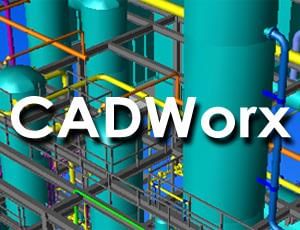
 | INFINITY COURSE CADWorx – plant design, modeling & documentationTechArch · Last updated on Apr 14, 2026 |
CADWorx: The Complete Training for Design Softwares 2026-2027 is part of Design Softwares pre ... view more CADWorx: The Complete Training for Design Softwares 2026-2027 is part of Design Softwares preparation. The notes and questions for CADWorx: The Complete Training have been prepared according to the Design Softwares exam syllabus.Preparation for CADWorx: The Complete Training in English is available as part of our Design Softwares preparation & CADWorx: The Complete Training in Hindi for Design Softwares courses. Download more important topics related with CADWorx: The Complete Training, notes, lectures and mock test series for Design Softwares Exam by signing up for free.
CADWorx – plant design, modeling Study Material
|



Trending Courses for Design Softwares

What is CADWorx and Why Learn CadWorxLIVE Design Software?
CadWorxLIVE is a professional design software that has become essential for anyone working in the apparel decoration, embroidery, screen printing, and textile design industries. If you're pursuing a career in graphic design or custom merchandise creation, understanding this powerful tool is crucial. CADWorx training equips you with skills that are highly sought after in the Indian design industry, where demand for specialized design professionals continues to grow exponentially.
The software specializes in vector-based graphic design and artwork preparation specifically tailored for decorating applications. Whether you're creating designs for sports apparel, promotional products, or custom garments, CADWorx serves as your professional toolkit. Unlike general design software, CadWorxLIVE is optimized for the unique requirements of production environments where precision and efficiency matter tremendously.
Learning CADWorx opens doors to lucrative career opportunities across India's thriving textile and apparel sectors. From small custom merchandise shops in metros like Mumbai, Delhi, and Bangalore to large-scale manufacturing units, professionals skilled in CADWorx are in high demand. Start your journey with our comprehensive guide on Making CadworXLIVE Work for You to understand the fundamentals.
Complete CADWorx Training Guide: Course Overview and Benefits
A complete CADWorx training course provides comprehensive knowledge spanning from beginner fundamentals to advanced professional techniques. This structured approach ensures you build skills progressively, starting with basic concepts and advancing to complex design scenarios you'll encounter in real-world projects.
What the Complete Training Covers
The best CADWorx training encompasses multiple critical areas essential for professional success. Our complete CADWorx guide covers everything from template creation to virtual sample development, ensuring you're market-ready upon completion.
- Foundation Skills: Understanding the software interface and basic operations
- Design Fundamentals: Working with shapes, colors, and composition principles
- Advanced Techniques: Combining features, image manipulation, and special effects
- Production Preparation: Sizing artwork, exporting files, and ensuring design quality
- Professional Applications: Creating mockups, virtual samples, and presentation-ready designs
Benefits of Comprehensive CADWorx Training
Investing in a best CADWorx course delivers tangible benefits that directly impact your career prospects and earning potential. Students who complete comprehensive training report significantly higher confidence when handling complex design projects and faster job placement in the apparel and textile sectors.
| Benefit | Impact on Career |
|---|---|
| Professional Design Capabilities | Execute complex projects independently |
| Industry-Standard Skills | Meet employer requirements across India |
| Faster Project Completion | Increased productivity and earning potential |
| Quality Output | Build reputation as a skilled professional |
Getting Started with CadWorxLIVE: Templates and Basic Design Fundamentals
Beginning your CADWorx journey starts with understanding how to learn CadWorxLIVE step by step. Templates form the foundation of efficient design work, allowing you to create consistent, professional results quickly. Whether you're designing custom t-shirts, caps, or promotional merchandise, templates streamline your workflow significantly.
Working with Templates
CADWorx templates save tremendous time and ensure consistency across your design work. Our detailed tutorial on CadWorxLive Tutorial Basics Working with Templates walks you through selecting, modifying, and creating templates tailored to your specific needs.
Templates in CadWorxLIVE serve multiple purposes-they establish correct sizing for decorating applications, maintain brand consistency, and accelerate your design process. For beginners learning how to use CADWorx, mastering templates is essential before advancing to more complex techniques.
Design Fundamentals Every Beginner Needs
Before tackling advanced design techniques, you must understand basic principles of composition, color theory, and file management within CadWorxLIVE. These fundamentals form the bedrock of professional design work.
- Understanding the design canvas and workspace organization
- Basic shape creation and manipulation
- Layer management and object hierarchy
- Essential file operations and saving conventions
- Introduction to the combine features for simple designs
Our resource on CadWorxLive Tutorial How to Create a Template provides practical insights into building templates that become your design foundation.
Mastering Text Design in CADWorx: Typography and Font Techniques
Text design forms a significant portion of apparel and merchandise decoration work. Learning CADWorx text design techniques elevates your capabilities from basic to professional-grade output. Typography in CadWorxLIVE goes far beyond simply selecting a font-it involves creative manipulation and enhancement for visual impact.
The CadWorxLive Tutorial Working with Text covers essential text handling skills that form the backbone of many profitable design projects. Master these skills and you'll find yourself creating designs that clients absolutely love.
Advanced Text Manipulation Techniques
CadWorx offers powerful text transformation tools that allow you to create distinctive, eye-catching designs. These aren't your everyday text effects-they're professional-grade capabilities used in the apparel industry daily.
- Text warping and envelope effects for curved surfaces
- Font bolding and weight modification
- Character-level customization
- Text outline and shadow effects
- Converting text to paths for advanced editing
Learn specifically how to bold any font in CadWorxLive and create the split text design effects that command premium prices in the custom decoration market.
Working with Clip Art and Graphics in CadWorxLIVE Software
Incorporating clip art effectively separates amateur designs from professional ones. CadWorxLIVE provides extensive capabilities for integrating graphics and clip art within your designs, creating visually rich compositions that appeal to customers and stand out in the marketplace.
Clip Art Integration Methods
The software offers multiple approaches to incorporate clip art depending on your design requirements. Understanding when to use each method is key to creating optimal results. Our guides on incorporating clip art within text designs and incorporating clip art within text characters demonstrate these techniques comprehensively.
Strategic clip art usage enhances designs while maintaining visual balance. Whether you're creating sports apparel designs, promotional merchandise, or custom gifts, knowing how to work with graphics elevates your final product quality significantly.
Advanced CADWorx Design Techniques: Combining, Grouping, and Image Manipulation
Once you've mastered fundamentals, advanced CADWorx design techniques unlock your creative potential. These are the skills that transform you from competent to expert, allowing you to tackle complex projects that command higher fees and build your reputation in the industry.
The Combine Feature and Image Grouping
The combine feature represents one of CadWorxLIVE's most powerful capabilities for creating complex designs. Our detailed tutorial on the Combine Feature and Combine 101 walks you through practical applications that you'll use constantly in professional work.
Breaking apart and regrouping images gives you granular control over design elements. Master breaking apart and grouping images to modify complex artwork and create custom variations efficiently.
Professional Design Enhancement Methods
Advanced techniques separate your work from the competition and justify premium pricing. These CADWorx design techniques are industry-standard approaches used by professional studios across India.
- Creating athletic tails for sports apparel designs
- Applying split front effects to garment designs
- Implementing professional trapping techniques
- Precise alignment of complex graphic elements
- Envelope applications for custom text effects
Explore techniques like creating an athletic tail, applying split fronts to designs, and mastering the trapping technique for production quality.
Color Management in CADWorx: Gradients, Palettes, and Visual Effects
Color management directly impacts your design's appeal and production success. CadWorxLIVE provides sophisticated color tools that enable you to create stunning visual effects while maintaining production compatibility. Understanding CADWorx color gradients and palette management is essential for professionals.
Working with Color Palettes and Gradients
Professional color work in CadWorxLIVE involves more than picking colors you like. It requires understanding color theory, production requirements, and how colors translate across different decoration methods. Our comprehensive guide on working with color palettes covers industry best practices.
Color gradients create visual depth and sophistication in designs. Learn how to apply color gradients to designs professionally, understanding when gradients enhance your work versus when solid colors serve better.
Vector and Raster Art in CadWorxLIVE: Export, Vectorization, and File Management
Understanding the difference between vector and raster art is fundamental to professional design work. CadWorxLIVE handles both formats, and knowing when to use each determines your design output quality and production compatibility.
Vectorization and Export Processes
Converting raster images to vector format is a critical skill for designers working with existing artwork. Our tutorial on exporting and vectorizing raster art demonstrates this essential process that clients frequently request.
File management in CadWorxLIVE requires understanding export options and formats. The tutorial on exporting vector files ensures your designs are production-ready and compatible with various decoration equipment used across Indian manufacturing facilities.
| File Format | Best Use Case |
|---|---|
| Vector Files | Screen printing, embroidery, vinyl cutting |
| Raster Files | Photographic designs, complex color work |
| Vectorized Files | Converting artwork for production use |
Creating Professional Designs: Split Text, Athletic Tails, and Custom Effects
Professional designs command premium prices because they showcase advanced techniques and creative excellence. These specialized design approaches set your work apart in competitive Indian markets where customers expect high-quality custom products.
Split text designs create visual interest and complexity that customers love. The guide on creating split text designs demonstrates this popular technique used extensively in custom merchandise.
Athletic tails and special effects differentiate your designs from basic work. Master creating athletic tails and applying split fronts to expand your design portfolio and appeal to sports teams and athletic brands seeking professional designers.
CADWorx Virtual Samples and Textures: Mockup Creation Guide
Virtual samples revolutionize how you present designs to clients. Instead of creating physical prototypes, you can generate realistic mockups showing exactly how designs appear on finished products. This capability significantly speeds up your workflow and impresses clients with professional presentations.
Creating Effective Virtual Samples
Our comprehensive guide on virtual samples 101 covers creating convincing mockups that help clients visualize finished products. The guide on upgrading visual samples with textures demonstrates how to add realism that impresses even demanding clients.
Virtual samples with textures create presentations that clients mistake for actual products. This capability is invaluable for remote work scenarios, allowing you to service clients across India without physical samples.
How to Size and Prepare Artwork for Decorating in CadWorxLIVE
Proper sizing is crucial-designs sized incorrectly fail during production, damaging client relationships and your reputation. CadWorxLIVE provides specific tools for accurate sizing tailored to different decoration methods and product types.
Our detailed resource on sizing artwork for decorating ensures your designs translate perfectly from screen to finished product. Understanding sizing requirements for embroidery, screen printing, and vinyl cutting keeps your work production-ready.
Alignment and Precision Tools
Precise alignment separates professional from amateur work. The alignment guide demonstrates techniques for positioning elements with pixel-perfect accuracy, essential for high-quality production output.
Best Practices for CADWorx Design: Alignment, Trapping, and Quality Control
Professional designers follow established best practices that ensure consistent quality and efficient production. These practices represent industry standards across Indian apparel and textile decoration sectors.
Quality Control Essentials
Quality control prevents costly production errors and maintains your professional reputation. Best practices include:
- Using proper trapping techniques to prevent color gaps in multi-color designs
- Maintaining consistent file naming and organization
- Verifying designs for production compatibility before delivery
- Testing exports with actual production equipment when possible
- Documenting design specifications for future reference
Master the trapping technique to ensure multi-color designs print flawlessly without color separation issues. Proper trapping is the mark of professional designers who understand production requirements.
Additional Resources for Continuous Improvement
Excellence in CADWorx requires continuous learning and practice. The guide on working with different envelopes expands your text and graphic manipulation capabilities. For those integrating with production equipment, the guide on installing Vector Cut for Graphtec CE6000 ensures seamless workflow integration with cutting plotters used in Indian studios.
Your journey toward becoming a CADWorx expert is ongoing. Each project teaches you something new, and mastering these comprehensive design techniques positions you for success in India's thriving apparel decoration industry. Start with fundamentals, practice consistently, and gradually incorporate advanced techniques into your professional toolkit. The demand for skilled CADWorx professionals continues to grow, making this investment in training exceptionally valuable for your career growth.
CADWorx: The Complete Training for Design Softwares FAQs
| 1. What is CADWorx and how is it different from other design software? |  |
| 2. How do I create a basic piping layout in CADWorx? | |
| 3. What are the main modules in CADWorx training I should learn first? | |
| 4. How do I generate isometric drawings automatically in CADWorx? | |
| 5. What is the purpose of the component library in CADWorx design software? | |
| 6. How do I add instrumentation and control symbols in CADWorx? | |
| 7. What should I know about CADWorx database connectivity and data management? | |
| 8. How do I extract bill-of-materials and reports from CADWorx drawings? | |
| 9. What are common CADWorx tools for editing and modifying existing plant designs? | |
| 10. How can I improve my CADWorx skills and prepare for design software exams? | |


 | View your Course Analysis |  |
 | Create your own Test | |



|
 Videos
 Ratings
 | Explore Courses for Design Softwares exam |  |


