Chapter Notes: Computer Memory & Characterstics of Computer Memory

Computer Memory
Memory functions similarly to a human brain, serving as a storage system for data and instructions. In a computer, memory is where data is processed and instructions for processing are stored.
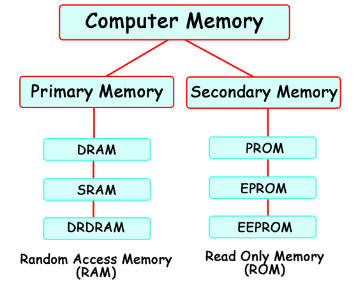
It's divided into numerous small parts known as cells, each with a distinct address. These addresses range from zero to the memory size minus one. For instance, if a computer has 64k words, the memory unit contains 64*1024=65536 cells, with addresses ranging from 0 to 65535.
Memory is primarily of two types:
- Primary Memory
- Secondary Memory
1. Primary or Main Memory
Types of Main Memory:
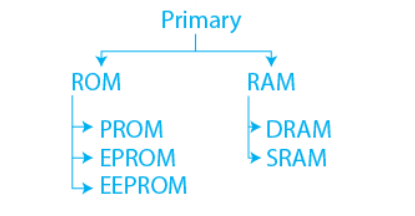 Types of Primary Memory
- All computers have main or primary memory to store programs and data .while the computer is running.
- The main memory has 2 subtypes:RAM (Random Access Memory) and ROM (Read-only Memory).
(i) RAM(Random Access Memory)
RAM, or Random Access Memory, acts a lot like the short-term memory in your brain. Just as your brain focuses on what's important for your current task and can only hold a few things at once, RAM stores the data that your computer needs right now.
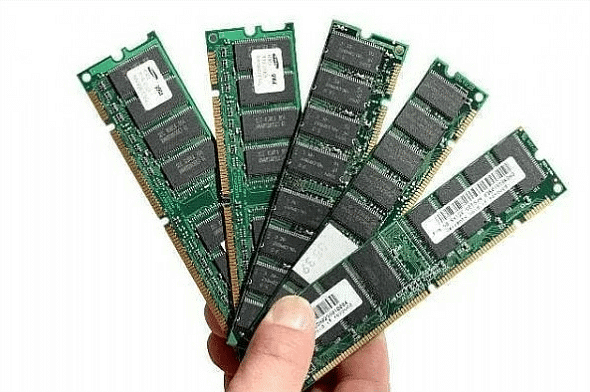 RAM
RAM
- But, when RAM fills up, just like when your short-term memory gets overloaded, your computer slows down. It has to constantly swap out old data in RAM with new data from the hard disk, which takes more time.
- RAM is the main memory inside your computer where the operating system, programs, and currently used data are stored for quick access by the processor.
- Compared to other storage types like hard disks or CDs, RAM is lightning fast. However, there's a downside - RAM is volatile, meaning it loses all its data when the power is turned off. So, every time you start your computer, everything has to be loaded into RAM again from the hard disk.
- There are two main types of RAM: DRAM and SRAM. While they work differently, both serve the same purpose of providing the memory your computer needs to run smoothly.
(ii) ROM, or Read-only Memory
ROM, or Read-only Memory, stores information that cannot be changed once it's been programmed.
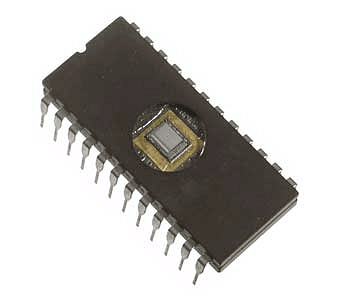 ROM
ROM
- Often, ROM contains startup instructions for computers, dictating what to do when they're turned on. Unlike volatile memory, like RAM, ROM retains its contents even when the power is off, making it non-volatile. It's used in various electronic devices and computers.
- Data stored in ROM is typically firmware software, closely tied to specific hardware and not needing frequent updates.
- While traditional ROM can't be modified easily, modern types like PROM and EPROM can be erased and reprogrammed multiple times.
- Despite this, they're still referred to as ROM because the reprogramming process is usually infrequent, slow, and doesn't allow random writing to individual memory locations.
(iii) PROM, or Programmable Read-Only Memory
PROM, or Programmable Read-Only Memory, is a chip that allows data to be written onto it just once. Once programmed, the data remains fixed permanently.
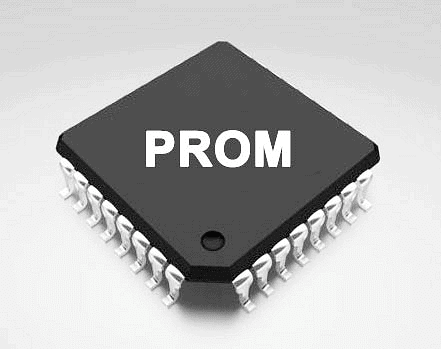 PROM
PROM
- Unlike RAM, PROM retains its contents even when the computer is turned off. The key difference between PROM and ROM is that PROM starts off as blank memory, while ROM is programmed during manufacturing.
- To write data onto a PROM chip, a special tool called a PROM programmer or PROM burner is needed.
- This process is sometimes referred to as "burning" the PROM. PROM operates by locking each bit's setting using fuses or antifuses, effectively storing programs permanently. Unlike ROM, PROM's programming is done after the device is constructed.
- PROMs are commonly found in various electronic devices such as video game consoles, mobile phones, RFID tags, medical implants, HDMI devices, and many other consumer and automotive electronics products.
(iv) EPROM, short for Erasable Programmable Read-Only Memory
It stands out as a unique variant of PROM due to its capability to be wiped clean using ultraviolet light.
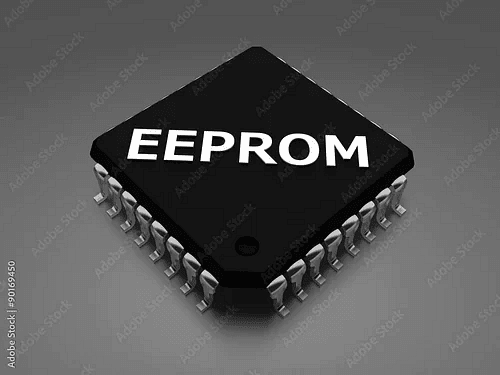 EPROM
EPROM
- After erasure, EPROM can be programmed again. It retains data until exposed to ultraviolet light, which effectively resets it for reprogramming.
- To manipulate EPROM, a specialized tool known as a PROM programmer or PROM burner is necessary. EPROM functions as a rewritable memory chip that retains its data without power. Before integration into a circuit board, EPROM chips undergo writing on an external programming device.
- These chips typically feature an expensive ceramic chip package with a small quartz window covered by opaque, adhesive tape. Reprogramming involves extracting the chip, removing the tape, and subjecting it to intense ultraviolet light for approximately 20 minutes.
- Unlike PROM, EPROM allows for multiple writes and erasures. This quality makes EPROM widely adopted in personal computers, as it enables manufacturers to alter the contents of the PROM just before shipping. This flexibility permits the removal of bugs and the installation of new versions shortly before delivery, ensuring smoother operations for end-users.
2. Secondary Memory
All computers need a way to store and retrieve data. While primary memory, like RAM, has limited space and isn't permanent, secondary storage devices come in to store large amounts of data permanently.
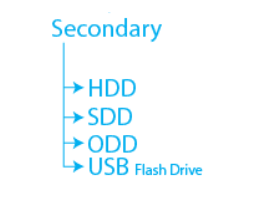 Types of Secondary Memory
- These devices are external and save data for future use. Examples include magnetic disks such as hard drives and floppy disks, optical disks like CDs and CD-ROMs, and magnetic tapes, which were among the first forms of secondary memory.
- Secondary storage, also known as secondary memory, is slower and cheaper than primary memory. It can't be directly accessed by the CPU and needs to be copied into RAM first for processing. Unlike primary memory, secondary storage retains data even when the power is off, making it non-volatile.
- Modern computers mainly use hard disk drives for secondary storage. Accessing data on a hard disk takes a few thousandths of a second, much slower than accessing data in RAM, which only takes billionths of a second. Other examples of secondary storage technologies include flash memory (like USB flash drives), paper tape, punched cards, standalone RAM disks, and Iomega Zip drives.
Characterstics of Computer Memory
(i) Storage Capacity
Storage capacity refers to how much data a memory can hold. Secondary memory, like a hard disk, typically has more storage capacity compared to RAM. A larger primary memory (RAM) means faster processing, while a larger secondary memory provides more space to store data and instructions. Just like kilograms and grams measure weight, computer memory capacity is measured in bytes and kilobytes.
(ii) Access Modes
Memories have different access modes:Random Access Memory (RAM): Data can be read from or written to any location in any order. RAM, floppy disks, and hard disks are examples of random access memories.
Sequential Access: Memory is accessed by moving through each location until reaching the desired one. Magnetic tape is an example of sequential access memory.
Direct Access: Data is accessed neither randomly nor sequentially but is a mix of both. Magnetic disks use this mode, with separate read/write heads for tracks.
(iii) Access Time
Access time is the time it takes for a read/write request to complete. Primary memory (RAM) has faster access times than secondary memory. For example, accessing data on a hard disk takes milliseconds, while accessing data in RAM takes nanoseconds.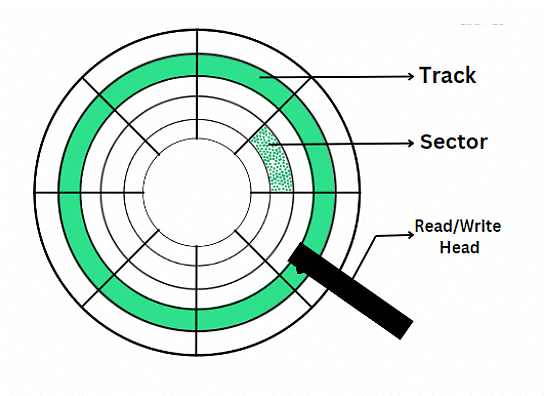
(iv) Permanence of Storage
Some memories retain information longer than others. Dynamic memory requires constant refreshing and is volatile, meaning it loses data when powered off. Static memory is non-volatile and retains data permanently. RAM is volatile, while ROM is non-volatile.
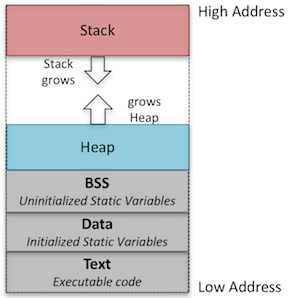 Dynamic Memory Allocation
(v) Physical Characteristics
Memory devices can be electronic, magnetic, mechanical, or optical.
Electronic Memory: These are like the memory in your computer or phone. They store information using tiny electrical parts. Some types keep information only when the device is on (like computer RAM), while others keep it even when it's off (like USB drives).
Magnetic Memory: These use magnets to store data. Think of it like the magnetic strip on the back of a credit card. Hard drives in computers work this way too, storing data on spinning disks using magnetism.

Mechanical Memory: These are old-school devices that use physical parts to store information. It's like how an old-fashioned cash register would use gears and levers to remember prices and totals.
Optical Memory: These use light to store data. CDs, DVDs, and Blu-ray discs are examples. They have tiny bumps and dips that a laser reads to get the information stored on them.
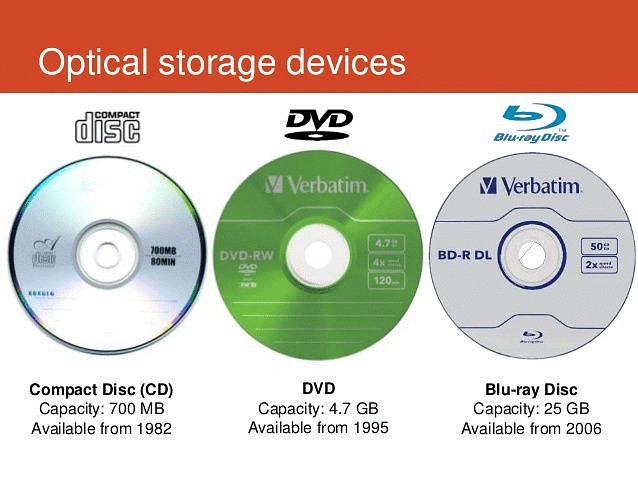
Each type has its own job and works differently, but they're all about keeping information safe for when you need it later on.
FAQs on Chapter Notes: Computer Memory & Characterstics of Computer Memory
| 1. What are the different types of computer memory and how do they work differently? |  |
| 2. Why is RAM called volatile memory and what happens to data stored in it? | |
| 3. What's the difference between ROM and RAM in terms of their characteristics and uses? | |
| 4. How does storage capacity affect computer performance and what units measure memory size? | |
| 5. What are the key characteristics that make computer memory efficient for storing and retrieving data? | |

