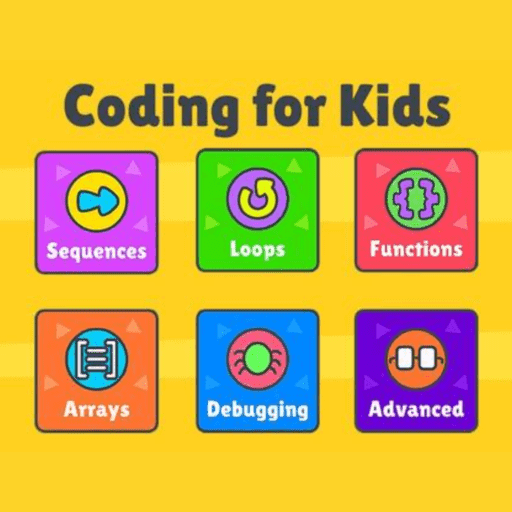
 | INFINITY COURSE Kids Coding Games, Projects & Interactive Learning40,816 students learning this week · Last updated on Apr 14, 2026 |
Kids Coding Games, Projects & Interactive Study Material




Trending Courses for Class 1

What is Coding for Kids in Class 1?
Coding for Kids at Class 1 level is an exciting introduction to programming designed specifically for children aged 6-7 years. Rather than jumping into complex, text-based programming languages, this course uses visual, block-based learning approaches that make coding accessible, fun, and intuitive for young learners. The focus is on developing computational thinking—the ability to break down problems logically and solve them step-by-step.
In India, where digital literacy is becoming increasingly important, introducing coding at such an early age gives Class 1 students a significant head start. The course teaches fundamental programming concepts like sequencing, logic, pattern recognition, and problem-solving through games, interactive activities, and storytelling. Students learn cause-and-effect relationships by dragging and dropping code blocks, without needing to type complex commands.
Core Concepts Covered in Class 1 Coding
- Sequential thinking: Understanding that instructions must follow a specific order to work correctly
- Algorithmic concepts: Breaking down problems into smaller, manageable steps through engaging games
- Pattern recognition: Identifying sequences and patterns in coding structures
- Logical reasoning: Making decisions based on conditions and outcomes
- Basic problem decomposition: Dividing complex tasks into simpler components
- Visual programming blocks: Using drag-and-drop interfaces instead of text-based commands
Our comprehensive Module 1 introduction to coding fundamentals covers these core concepts in detail, making it perfect for parents and teachers guiding Class 1 students in their coding journey.
Benefits of Learning Coding for Class 1 Students
The benefits of coding for Class 1 students extend far beyond just learning programming syntax. When children start coding early, they develop cognitive abilities that help them excel across all academic subjects. Research shows that coding education enhances critical thinking, boosts creativity, and strengthens mathematical reasoning—all crucial for young learners.
Cognitive and Academic Benefits
| Skill Area | How Coding Develops It | Real-World Application |
|---|---|---|
| Problem-Solving | Breaking down challenges logically | Better performance in mathematics and science |
| Logical Reasoning | Understanding cause-and-effect in code | Improved analytical abilities across subjects |
| Creativity | Creating unique projects and solutions | Enhanced innovation in all learning areas |
| Focus and Attention | Concentrating on detailed coding tasks | Better concentration during study sessions |
Learning coding for kids, especially at the Class 1 level, also builds confidence. When children successfully complete a coding project—even a simple one—they experience a sense of achievement that motivates them to tackle more complex challenges.
Introduction to Basic Coding Concepts for Young Learners
Before diving into any programming platform, it's essential to understand the basic building blocks that make up every coding concept. For young learners, these concepts are introduced through playful, interactive methods rather than theoretical explanations.
Foundational Programming Ideas
Sequencing is the first concept young coders learn—the idea that instructions must happen in the right order. Imagine giving directions to a friend: "Walk forward, turn left, then stop." If the order changes, the outcome changes entirely. This same principle applies to coding, where even small changes in instruction order can produce completely different results.
Loops are another fundamental concept that makes coding efficient. A loop allows the same instruction to repeat multiple times without rewriting it. For example, instead of writing "move forward" ten times, a child can create a loop that says "move forward 10 times." This teaches the efficiency principle—doing more with less code.
Conditionals introduce decision-making to coding. These are "if-then" statements: "If the ball hits the wall, then bounce back." Understanding conditionals helps Class 1 students grasp how computers make decisions based on different situations.
Explore our Module 2 on basic coding concepts for detailed explanations and interactive examples that bring these ideas to life for young learners.
Best Free Coding Resources for Class 1 Children
One of the biggest advantages of introducing coding to Class 1 students is the availability of free, high-quality resources. Parents and educators don't need to invest heavily to give children excellent coding education.
Recommended Free Platforms for Beginners
- Code.org: Offers age-appropriate courses with interactive games and certificates of completion
- Scratch Jr.: Specifically designed for ages 5-7, using colorful blocks and characters
- Blockly Games: A series of progressively challenging puzzle games introducing coding logic
- Tynker Junior: Combines storytelling with coding activities, making learning engaging
- Kodable: Teaches coding through fun characters and adventures
Free coding resources for Class 1 children are designed to be engaging, colorful, and intuitive. These platforms don't overwhelm young learners with technical jargon; instead, they use familiar concepts like games, characters, and rewards to maintain interest and motivation.
Additionally, free coding worksheets and practice materials help reinforce what students learn on digital platforms. Our platform provides free coding practice exercises for Class 1 learners that complement online learning perfectly.
How to Start Learning Coding in Class 1: A Step-by-Step Guide
Getting started with coding doesn't require complex setups or extensive preparation. Here's a practical, straightforward approach for Class 1 students to begin their coding journey:
Step 1: Choose an Age-Appropriate Platform
Select a platform designed specifically for young learners. Scratch Jr. and Code.org are particularly beginner-friendly, with colorful interfaces and intuitive controls that Class 1 students can navigate independently or with minimal adult guidance.
Step 2: Start with Unplugged Activities
Before touching a computer, try unplugged coding activities. These are coding lessons without computers—using physical objects, movement, or paper to teach programming concepts. For example, give your child step-by-step directions to reach a specific location, then change the order to show how sequences matter.
Step 3: Complete Guided Tutorials
Begin with structured tutorials that guide students through basic concepts. Our comprehensive module structure starts with Module 3, which covers interactive tutorials and guided projects, making it ideal for Class 1 beginners.
Step 4: Practice Consistently
Coding skills develop through regular practice. Short, daily sessions of 20-30 minutes are more effective than occasional longer sessions. Consistency helps concepts stick and builds coding confidence.
Step 5: Create Simple Projects
Encourage students to create their own small projects—a character that moves, a simple story, or a basic game. This transition from following tutorials to independent creation is crucial for deeper learning.
Fun Coding Activities and Games for Class 1 Kids
Making coding enjoyable is absolutely essential for Class 1 students. When coding feels like play rather than work, children remain engaged and develop genuine interest in the subject.
Game-Based Learning Approaches
Coding games for kids transform abstract programming concepts into concrete, visual experiences. For instance, puzzle games where students guide a character through mazes teach sequencing and planning. Story-based coding games let children create narratives by controlling character movements and actions.
| Activity Type | Programming Concept Taught | Example Activity |
|---|---|---|
| Maze Games | Sequencing and Path Planning | Guide a character to treasure using directional blocks |
| Character Animation | Loops and Repetition | Make a character dance by repeating movements |
| Interactive Stories | Conditionals and Decisions | Create branching stories where choices affect outcomes |
| Musical Projects | Sequences and Timing | Compose simple melodies using code blocks |
Interactive coding for Class 1 works best when activities are short, visually appealing, and immediately rewarding. Students want to see results quickly—a character moving, music playing, or colors changing on screen.
For creative project ideas and detailed activity instructions, check out our Module 4, which focuses on fun coding projects and creative activities.
Essential Skills Developed Through Coding for Kids
Beyond just learning to write code, children develop a comprehensive set of skills that benefit their overall academic and personal development.
Technical and Soft Skills
- Computational thinking: Approaching problems systematically and logically
- Critical thinking: Analyzing problems and considering multiple solutions
- Creativity and innovation: Combining ideas in new ways to create unique projects
- Attention to detail: Understanding that small changes in code produce different results
- Collaboration and communication: Working with peers and explaining their coding logic
- Persistence and resilience: Debugging code when things don't work as expected
- Mathematical reasoning: Understanding concepts like counting, sequences, and patterns
These coding skills for kids are increasingly recognized as essential for success in today's digital world. Schools across India are incorporating coding into their curricula because employers value these competencies.
Top Coding Platforms and Tools for Class 1 Beginners
Choosing the right platform sets the foundation for successful coding learning. Different platforms offer different strengths, so understanding what each provides helps in making the best choice for your Class 1 student.
Platform Comparison and Features
Scratch Jr. is widely considered the gold standard for ages 5-7. It features colorful, oversized blocks, familiar characters from popular shows, and an intuitive interface requiring minimal reading. The platform emphasizes creativity, allowing children to create animations, interactive stories, and simple games.
Code.org provides structured, scaffolded learning with courses organized by grade level. It includes a mix of unplugged activities and digital lessons, making it excellent for comprehensive learning. The platform also offers a pre-reader track specifically for Class 1 students.
Blockly Games presents coding concepts through a series of progressively challenging puzzle games. Each game focuses on a specific concept—loops, conditionals, functions—and the visual feedback is immediate and satisfying.
Tynker Junior combines coding with storytelling, allowing Class 1 students to create animated stories and simple games. The platform includes both free and premium content, with excellent free resources for beginners.
Kodable uses a character-based approach where students guide "Bee" or other characters through mazes and challenges, learning coding concepts naturally through gameplay.
Module-wise Overview of Coding for Kids Course
Our comprehensive Coding for Kids course is structured into 5 progressive modules that build upon each other, starting from foundational concepts and gradually introducing more complex logical structures suitable for Class 1 learners.
Module Breakdown and Learning Path
Module 1 introduces fundamental programming concepts through engaging introductions. This module establishes the foundation—what is coding, why it matters, and basic vocabulary that Class 1 students will use throughout their learning journey.
Module 2 dives deeper into basic coding concepts with interactive examples. Students learn sequencing, loops, and simple conditionals through hands-on activities that bring abstract ideas to concrete understanding.
Module 3 focuses on guided projects and problem-solving strategies. Here, students apply what they've learned to create their own projects, developing independence and creative thinking.
Module 4 presents fun coding activities and advanced projects. This module encourages experimentation and creative expression through coding challenges and collaborative projects.
Module 5 concludes with comprehensive practice exercises and assessment activities. Students consolidate their learning, demonstrate mastery of concepts, and prepare for more advanced coding education.
Why Should Class 1 Students Learn Coding?
The importance of coding for children extends beyond career preparation. In 2026, digital literacy is as fundamental as traditional literacy. Class 1 students learning coding today gain advantages that will serve them throughout their educational and professional lives.
Coding develops the brain's logical centers during crucial developmental years. Young children are naturally curious about how things work—coding channels this curiosity into productive learning. Furthermore, coding education prepares children for STEM (Science, Technology, Engineering, Mathematics) fields, which are increasingly important in India's growing tech sector.
Early coding education also boosts academic confidence. When Class 1 students successfully complete coding challenges, they develop a growth mindset—the belief that they can learn new, difficult things through effort and practice. This confidence transfers to other subjects.
Additionally, coding teaches digital citizenship and responsible technology use. Children who understand how programs work develop healthier relationships with technology and make better decisions as digital users.
Parent's Guide to Teaching Coding to Class 1 Children
Parents often worry they don't know enough about coding to help their children learn. The good news: you don't need to be a programmer to support your Class 1 student's coding education.
Creating a Supportive Learning Environment
- Dedicate coding time: Establish a regular schedule—perhaps 30 minutes, three times per week—for coding practice
- Minimize distractions: Ensure a quiet, comfortable space where your child can focus
- Use positive language: Encourage effort and learning from mistakes rather than focusing on right/wrong answers
- Celebrate small wins: Acknowledge every completed project and concept mastery
- Ask guiding questions: Instead of giving answers, help your child think through problems: "What do you think will happen if...?"
- Learn alongside them: Explore coding platforms together; your enthusiasm is contagious
- Provide free coding activities: Supplement digital learning with unplugged coding games and challenges
Remember, your role isn't to teach coding—it's to support your child's learning journey. Encourage curiosity, celebrate persistence, and create an environment where experimentation and failure are seen as valuable parts of learning.
Free Coding Practice Exercises for Class 1 PDF Download
Supplementing digital coding platforms with printable, offline practice is invaluable for reinforcing concepts and accommodating different learning styles.
Types of Free Practice Materials
Coding worksheets for Class 1 include visual sequencing exercises where students arrange pictures in the correct order—preparing them to understand instruction sequences. Pattern recognition worksheets help students identify and continue patterns, a foundational coding concept.
Unplugged coding activities on paper let students practice logic and algorithmic thinking without screens. For instance, "maze drawing" activities teach pathfinding logic, while "flowchart completion" exercises introduce decision-making concepts.
Coding puzzle PDFs present visual logic problems that require sequential thinking and problem-solving. These are particularly effective for students who benefit from tactile, visual learning experiences.
Our comprehensive collection includes Module 5 practice exercises that you can download and print for offline practice anytime, anywhere.
How to Use Practice Materials Effectively
Introduce one worksheet per week alongside digital learning. Start with easier activities and progress to more challenging ones. Allow your child to work independently first, then review their answers together, discussing their thinking process.
Learning coding for Class 1 students works best as a multi-sensory experience combining digital platforms, printable worksheets, and real-world applications. This comprehensive approach ensures concepts stick and learning remains engaging.
Coding for Kids for Class 1 CBSE Exam Pattern 2026-2027
Introduction:
Coding for Kids is an essential skill that is becoming increasingly important in today's digital age. Teaching coding to young children not only helps them develop logical thinking and problem-solving skills but also enhances their creativity and critical thinking abilities. In order to evaluate the progress and understanding of coding concepts in Class 1 students, an exam pattern has been designed to assess their knowledge and skills in a structured manner.
Exam Pattern Overview:
The coding exam for Class 1 students is designed to be interactive and engaging, making the learning process enjoyable for young minds. The exam pattern focuses on assessing various aspects of coding, including:
1. Basic Concepts: This section evaluates students' understanding of fundamental coding concepts. It may include multiple-choice questions or simple problem-solving tasks to assess their knowledge of variables, loops, conditionals, and basic algorithms.
2. Hands-on Coding: This section involves practical coding tasks that require students to apply their knowledge and skills. Students may be asked to write simple programs or create algorithms to solve specific problems. This section aims to assess their coding proficiency and logical thinking abilities.
3. Problem-solving: This section tests students' ability to think critically and solve coding-related problems. It may include puzzles or coding challenges that require students to apply their coding knowledge in a creative and innovative way.
4. Debugging: This section assesses students' ability to identify and fix errors in a given code. They may be presented with code snippets that contain bugs, and they are required to identify and correct these errors. This section helps in developing their problem-solving and debugging skills.
5. Algorithmic Thinking: This section evaluates students' understanding of algorithms and their ability to break down complex problems into smaller, manageable steps. It may include tasks where students are required to design algorithms to solve specific problems. This helps in enhancing their logical thinking and algorithmic skills.
Conclusion:
The coding exam pattern for Class 1 provides a comprehensive assessment of students' coding abilities, ensuring that they have a strong foundation in coding concepts. By evaluating their knowledge and skills in various aspects of coding, this exam pattern helps in identifying areas of improvement and nurturing their coding talents from an early age. Encouraging young children to develop coding skills not only prepares them for future career opportunities but also equips them with essential skills for the digital era.


Coding for Kids Syllabus 2026-2027 PDF Download
Module 1: Introduction to Coding
- Understanding the basics of coding
- Introduction to algorithms and sequences
- Learning to think logically and sequentially
- Introduction to block-based programming languages
Module 2: Exploring Scratch
- Understanding the Scratch interface
- Learning to create and customize sprites
- Exploring different blocks and their functionalities
- Creating interactive stories and animations using Scratch
Module 3: Introduction to Variables
- Understanding the concept of variables
- Learning to declare and assign values to variables
- Exploring different types of variables
- Using variables to create dynamic programs
Module 4: Conditional Statements
- Introduction to conditional statements (if-else)
- Understanding the concept of Boolean logic
- Using conditional statements to make decisions in programs
- Creating simple games using conditional statements
Module 5: Loops and Iterations
- Understanding the concept of loops
- Exploring different types of loops (repeat, forever, while)
- Using loops to repeat actions in programs
- Creating interactive projects using loops and iterations
Note: This syllabus is designed to provide a comprehensive introduction to coding for Class 1 students. Each module will consist of hands-on activities, exercises, and projects to reinforce the concepts learned. The class will be conducted using block-based programming languages like Scratch to make it easier for young learners to understand and apply coding concepts.
At the end of the course, students will be able to create simple programs, animations, and games using coding principles they have learned. Coding skills will be developed alongside problem-solving, logical thinking, and creativity.
This course is helpful for the following exams: Class 1, Class 2, Class 3, Class 4, Class 5, Grade 1, Grade 2, Grade 4, Grade 5, Grade 6, Grade 9, Grade 10, Year 1, Year 2, Year 4, Year 5, Year 6, Year 9, Year 10, Grade 1, Grade 2, Grade 4, Grade 5, Grade 6, Grade 9, Grade 10, Year 1, Year 2, Year 4, Year 5, Year 6, Year 9, Year 10, Primary 1, Primary 2, Primary 4, Primary 5, Primary 6, JSS 3, SSS 1, Grade 1, Grade 4, Grade 5, Grade 6, Grade 7, Grade 8, Grade 9, Grade 10, Grade 1, Grade 2, Grade 3, Grade 4, Grade 5, Grade 1 (PYP 1), Grade 2 (PYP 2), Grade 3 (PYP 3), Grade 4 (PYP 4), Grade 5 (PYP 5)
How to Prepare Coding for Kids for Class 1?
In the digital age, coding has become an essential skill for kids to learn. It not only enhances their problem-solving abilities but also boosts their creativity and logical thinking. At EduRev, we offer a comprehensive course on coding for kids in Class 1, designed to introduce young learners to the world of programming.
Why is Coding Important for Kids?
Coding is a language that allows kids to communicate with computers and machines. It teaches them how to give instructions and solve problems logically. By learning coding at an early age, kids develop essential skills such as critical thinking, analytical reasoning, and attention to detail.
The Coding for Kids Course at EduRev
Our coding course for Class 1 kids focuses on making programming fun and engaging. We understand that young learners have limited attention spans, so our lessons are designed to be interactive and visually appealing. Through a combination of videos, quizzes, and practical exercises, we ensure that students grasp coding concepts effectively.
Key Features of the Course
1. Introduction to Coding: We start by introducing kids to the basics of coding, explaining key terms and concepts in a simple and easy-to-understand manner.
2. Block-based Programming: Class 1 students are introduced to block-based programming languages, where they can drag and drop blocks of code to create programs.
3. Problem-solving Skills: Our course focuses on developing problem-solving skills through coding challenges and puzzles. Kids learn to break down complex problems into smaller, manageable tasks.
4. Game-based Learning: We incorporate game-based learning techniques to keep kids motivated and engaged. They get to create their own games, animations, and interactive stories.
5. Creativity and Innovation: Coding encourages kids to think creatively and come up with innovative solutions to problems. Our course nurtures their creativity and helps them think outside the box.
6. Real-world Application: We provide examples and projects that showcase how coding is used in various industries, making learning more relatable and practical.
Preparing Kids for the Course
To prepare your child for the coding course at EduRev, there are a few things you can do:
1. Familiarize Them with Technology: Introduce your child to basic computer skills and familiarize them with digital devices and software.
2. Encourage Logical Thinking: Engage your child in activities that require logical thinking and problem-solving, such as puzzles and brain teasers.
3. Build their Math Skills: Coding involves mathematical concepts like patterns and algorithms. Strengthen your child's math skills to help them excel in coding.
4. Promote Creativity: Encourage your child to think creatively and come up with their own ideas and solutions. This will enhance their coding experience.
Conclusion
Preparing your child for the coding course at EduRev is an exciting journey that will equip them with valuable skills for the future. By starting early and providing the right guidance, you are setting them up for success in the digital world. Join EduRev's coding course for Class 1 kids and watch your child embark on a thrilling coding adventure.
Importance of Coding for Kids for Class 1
In today's digital world, coding has become an essential skill for children to learn at an early age. It is no longer just a subject for computer science professionals; coding empowers young minds with problem-solving abilities, creativity, and logical thinking. EduRev offers a comprehensive coding course specifically designed for Class 1 students, providing them with a strong foundation in this crucial domain.
Why is coding important for kids?
1. Enhances problem-solving skills: Coding teaches children to break down complex problems into smaller, more manageable parts. By identifying patterns and implementing logical steps, kids develop analytical thinking and problem-solving abilities that can be applied to various real-life situations.
2. Encourages creativity: Coding is an art that allows kids to express their creativity through creating their own programs, games, and animations. It fosters their imagination and gives them a platform to transform their ideas into reality.
3. Develops logical thinking: Coding requires kids to think logically and sequentially. They learn how to organize their thoughts, identify cause-and-effect relationships, and anticipate outcomes. This logical thinking ability can be utilized in different areas of their lives, improving their decision-making skills.
4. Boosts computational thinking: Coding helps children develop computational thinking, which involves breaking down large problems into smaller, more manageable parts. This approach trains their minds to think step-by-step, enabling them to solve complex problems efficiently.
5. Prepares for future careers: In today's technology-driven world, coding skills are highly sought after by employers. By starting coding at an early age, kids gain a head start in acquiring the skills needed for future careers in fields like software development, data analysis, robotics, and more.
Why choose EduRev's coding course for Class 1?
1. Age-appropriate curriculum: The coding course offered by EduRev for Class 1 students is tailored to their age and learning abilities. It introduces coding concepts in a fun and engaging way, ensuring that children grasp the fundamental concepts without feeling overwhelmed.
2. Interactive learning experience: EduRev's coding course utilizes interactive activities, games, and quizzes to make the learning process enjoyable for young learners. The course is designed to keep kids motivated and interested, encouraging them to explore and experiment with coding.
3. Experienced instructors: EduRev's coding course is taught by experienced instructors who specialize in teaching coding to young children. They provide guidance, support, and personalized attention to ensure that each student progresses at their own pace.
4. Hands-on projects: The course includes hands-on coding projects that allow kids to apply their knowledge and skills in practical ways. This hands-on approach helps reinforce the concepts they have learned and boosts their confidence in coding.
5. Accessible platform: EduRev's coding course is available on an accessible platform that can be accessed from anywhere, anytime. This flexibility allows students to learn at their own convenience and pace, making it suitable for both classroom and home learning environments.
In conclusion, introducing coding at an early age through EduRev's coding course for Class 1 students provides numerous benefits. It equips children with essential skills for the future, enhances their problem-solving abilities, encourages creativity, develops logical thinking, and prepares them for potential careers in the technology industry. Give your child a head start in the digital era by enrolling them in EduRev's coding course today.
Coding for Kids for Class 1 FAQs
| 1. What are the basic coding concepts kids should learn first in Class 1? |  |
| 2. How do you teach a 6-year-old to code without using a computer? | |
| 3. What is block-based programming and why do Class 1 students use it? | |
| 4. What simple coding projects can Class 1 kids make? | |
| 5. How do loops and repetition work in beginner coding for kids? | |
| 6. What is an event in coding and how do kids learn it? | |
| 7. Can Class 1 students learn coding without reading skills? | |
| 8. What debugging strategies do beginner coders use when programs don't work? | |
| 9. How does coding for Class 1 connect to maths and logic skills? | |
| 10. What should parents know about teaching coding to Class 1 children at home? | |
Best Coding for Kids for Class 1 NCERT Solutions and Study Materials





|
 Videos
 Documents
 Ratings
 | Explore Courses for Class 1 exam |  |


