All Exams   >   App Development Exam

Prepare for App Development
with EduRev

All you need for App Development Exam Exam preparation covering complete
App Development syllabus
5000+
Students on EduRev
4.6/5/5
500+ ratings on Google Play
199 K+K+
Docs & Videos viewed
2 Million+Million+
MCQs attempted in Tests
Everything you need for your Exam at one place
EduRev features
2500+ Notes
With relevant content to help you prepare for exams in the best way
EduRev features
600+ Tests
Practice every topic with over 15M+ questions in 75K+ tests
EduRev features
850+ Videos
With 100K+ videos & 250K+ notes clear all your concepts
EduRev features
80+ Courses
With 1000+ courses you can prepare for every exam!
EduRev features
10k+ Doubts
The best teachers and fellow students to help you out
Awards & Mentions

What is App Development and Why is It One of the Most In-Demand Skills Today?

Mobile app development is the process of creating software applications that run on smartphones and tablets. Whether it's a food delivery app, a banking solution, or an e-learning platform, apps have become an inseparable part of everyday life. In 2025, with the rapid expansion of 5G networks, IoT, and AI-powered tools, the demand for skilled app developers has never been higher in India and globally.

The two dominant platforms - Android (by Google) and iOS (by Apple) - together power virtually every smartphone in use today. Android alone holds approximately 72% of the global mobile OS market share as of 2025, making it the most widely used platform and a natural starting point for most Indian learners.

Whether you're a college student, a working professional looking to upskill, or someone exploring a career switch, learning app development opens doors to some of the most rewarding roles in tech today.

Best App Development Courses Online for Beginners and Advanced Learners

Choosing the right app development course is crucial. The ideal course should balance theory with hands-on projects, covering everything from UI design to backend integration. EduRev offers a well-structured range of mobile app development courses catering to both beginners and advanced learners.

CourseBest ForPlatform Focus
Android App Development for BeginnersComplete BeginnersAndroid
Android Application Development (Mobile App)Intermediate LearnersAndroid
Flutter: Build Beautiful Native AppsCross-Platform DevelopersFlutter/Dart
Swift in Xcode: Complete iOS Development GuideiOS EnthusiastsiOS/Swift

Each course is designed with a clear learning path so you're not left guessing what to study next.

Android App Development for Beginners: How to Get Started with Android Studio

If you're wondering how to learn Android app development from scratch, Android Studio is your first stop. It is the official IDE (Integrated Development Environment) maintained by Google and supports Kotlin - Google's preferred programming language since 2019 - and Java.

Key Concepts You'll Learn

  • Setting up Android Studio and the Android SDK
  • Understanding Activities, Fragments, and Intents
  • Working with XML layouts and the Jetpack component library
  • Testing apps using Android Studio's built-in emulator
  • Step-by-step Android app development from project setup to deployment

Our Android App Development for Beginners course on EduRev walks you through each of these concepts in a structured, beginner-friendly manner. It's the ideal starting point if you've never written a line of Android code before.

How to Design UI in Android Studio: Tools, Tips, and Best Practices

A great app isn't just functional - it also needs to look good. UI (User Interface) design in Android Studio has evolved significantly. While XML layout files remain widely used, Jetpack Compose - Google's modern declarative UI toolkit - is now the recommended approach for building native Android UIs, having been declared stable in 2021 and widely adopted by 2025.

UI Design Best Practices

  • Follow Material Design guidelines for a consistent visual experience
  • Design for different screen sizes using ConstraintLayout
  • Prioritize accessibility standards (WCAG) for inclusive apps
  • Use intuitive navigation patterns and consistent colour schemes

Good UI/UX design can make or break an app's success. Explore the How to Design UI in Android Studio course on EduRev to master both XML-based layouts and modern Compose-based UI techniques with practical exercises.

Swift and Xcode for iOS Development: A Complete Beginner's Guide

For those interested in iOS app development, Xcode is Apple's official IDE, and Swift is the primary programming language used to build apps for iPhone, iPad, macOS, watchOS, and tvOS. Introduced in 2014, Swift is known for its clean syntax, speed, and safety features - making it significantly more approachable than its predecessor, Objective-C.

iOS apps are distributed exclusively through the Apple App Store, and publishing requires an Apple Developer Program membership. This platform, while more restrictive, offers access to a premium user base with strong monetisation potential.

If you want to learn Swift programming from the ground up, check out the Swift in Xcode: The Complete iOS Development Guide and also the iOS 11 and Swift 4 App Development: A Complete Tutorial available on EduRev for a comprehensive, hands-on learning experience.

Flutter App Development: Build Beautiful Native Apps Faster

Flutter has rapidly become one of the most popular cross-platform frameworks in 2025. Developed by Google, Flutter uses the Dart programming language and a widget-based architecture to create visually rich, natively compiled apps for Android, iOS, web, and desktop - all from a single codebase.

Why Choose Flutter?

  • Single codebase for multiple platforms reduces development time significantly
  • Flutter apps compile to native ARM code, ensuring performance on par with native apps
  • Huge widget library for highly customisable UI design
  • Backed by Google with a rapidly growing developer community in India

Flutter vs React Native is a common debate among Indian developers - Flutter's hot reload feature, growing ecosystem, and performance advantages have made it the preferred choice for many startups and enterprises. Get started with the Flutter: Build Beautiful Native Apps in Record Time course on EduRev.

Firebase for Android Developers: Why It's Essential for Modern App Development

Firebase is a comprehensive app development platform by Google that eliminates much of the complexity around backend infrastructure. For Android developers especially, Firebase is practically indispensable in 2025.

Key Firebase Services

  • Realtime Database & Firestore - Cloud-based NoSQL databases for real-time sync
  • Authentication - Easy user sign-in with email, Google, phone, and more
  • Cloud Storage - Secure file storage for user-generated content
  • Firebase Analytics - Understand how users interact with your app
  • Cloud Functions - Run backend logic without managing servers

Firebase supports integration with Android, iOS, Flutter, and web apps, making it a versatile backend-as-a-service (BaaS) solution. The Beast Android Development: Firebase Necessities course on EduRev covers all the essential Firebase tools you need to build production-ready apps.

Cross-Platform App Development: PhoneGap, Flutter, and Beyond

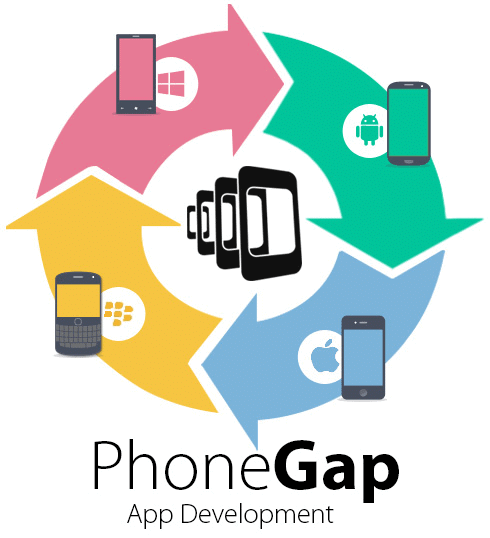
Cross-platform development lets you write code once and deploy it across multiple platforms, saving time and resources. Two notable approaches are PhoneGap (Apache Cordova) and Flutter.

PhoneGap allows developers to build hybrid mobile apps using familiar web technologies - HTML, CSS, and JavaScript - which run inside a native WebView container. While Adobe formally retired the PhoneGap brand in 2020, the framework continues under Apache Cordova and remains relevant for web developers transitioning into mobile. Learn the fundamentals with the PhoneGap Tutorial: Basics to Advanced course on EduRev.

FrameworkLanguage UsedPerformanceBest Use Case
FlutterDartNear-nativeHigh-performance cross-platform apps
PhoneGap/CordovaHTML, CSS, JSModerateWeb-to-mobile conversions

How to Integrate Google Maps API into Your Website or Mobile App

Location-based features are a core part of many modern apps - from cab booking to food delivery. The Google Maps Platform provides powerful APIs and SDKs, including the Maps SDK for Android, Maps SDK for iOS, Directions API, Geocoding API, and Places API.

To integrate Google Maps API, you need an API key from the Google Cloud Console. As of 2025, billing must be enabled on your Google Cloud account, though a free monthly usage tier is available. Key features you can implement include custom markers, route drawing, geolocation services, and real-time traffic overlays.

The Customize Interactive Maps with Google Maps API course on EduRev provides a practical, project-based approach to integrating and customising Google Maps for both websites and mobile apps.

Career Scope and Job Opportunities After Learning Mobile App Development

The career prospects for app developers in India are extremely promising. The global mobile application market continues to grow rapidly, driven by 5G adoption, smart devices, and AI integration. For Indian students and professionals, this translates into a wealth of opportunities both domestically and at international companies.

Top Job Roles in App Development

  • Android Developer
  • iOS Developer
  • Flutter Developer
  • Mobile App Engineer
  • Full-Stack Mobile Developer

Most In-Demand Skills Employers Look For

  • Proficiency in Kotlin, Swift, or Dart (Flutter)
  • Experience with Firebase and REST APIs
  • Version control using Git
  • UI/UX design understanding
  • Knowledge of Google Maps API integration

Your app development roadmap should ideally start with one platform (Android or iOS), build foundational projects, then expand into cross-platform tools like Flutter and backend services like Firebase. EduRev's curated courses - from the beginner-friendly Android App Development for Beginners to advanced Firebase and Flutter courses - give you a clear, structured path to becoming a job-ready app developer in 2025.

App Development FAQs

1. What are the main steps to build your first mobile app from scratch?
Ans. Start by defining your app's purpose and target audience, then choose a development platform like iOS or Android. Learn a programming language (Swift, Kotlin, or Java), design the user interface, build core features, and test thoroughly before launching. Planning and learning fundamentals come before coding begins.
2. How do I decide between native app development and cross-platform frameworks?
Ans. Native app development offers superior performance and platform-specific features but requires separate coding for each operating system. Cross-platform frameworks like Flutter and React Native allow single codebase deployment across multiple platforms, reducing development time and costs. Choose based on budget, timeline, and performance needs.
3. What programming languages do I actually need to learn for app development?
Ans. Essential languages include Java or Kotlin for Android development, Swift for iOS applications, and JavaScript for cross-platform solutions. Python is useful for backend services supporting mobile apps. Most developers specialise in one platform initially, then expand their skill set gradually with additional languages and frameworks.
4. How long does it typically take to learn app development basics?
Ans. Foundational app development concepts take three to six months of consistent practice to grasp. Building simple functional applications requires additional hands-on experience beyond theoretical learning. The timeline varies based on prior programming knowledge, learning intensity, and available practice time with development tools and frameworks.
5. What's the difference between frontend and backend development in app creation?
Ans. Frontend development focuses on user interface design, user experience, and what users see and interact with directly. Backend development handles databases, server logic, authentication, and data processing behind the scenes. Most modern app projects require both components working together seamlessly for complete functionality.
6. What are the best free tools and software for beginning app developers?
Ans. Android Studio provides free integrated development environment features for Android app development. Xcode is Apple's free IDE for iOS development. Visual Studio Code and Flutter SDK offer excellent cross-platform options. These official tools include emulators, debugging features, and comprehensive documentation necessary for app creation and testing.
7. How do I test my app before publishing it to app stores?
Ans. Use built-in emulators and simulators provided by Android Studio and Xcode to test functionality across devices. Conduct user acceptance testing with real devices, test edge cases, and check performance metrics. Beta testing through platforms like Google Play Console helps identify bugs before public release on app stores.
8. What do app developers need to know about user interface and user experience design?
Ans. Effective UI/UX design prioritises simplicity, clear navigation, and intuitive interaction patterns that users understand instantly. Developers must understand accessibility standards, responsive design principles, and platform-specific design guidelines. User feedback and iterative design improvements significantly enhance app quality and user satisfaction before final launch.
9. How much does it cost to develop and launch an app?
Ans. Solo developer costs range from free to several thousand rupees using open-source tools and free resources. Professional app development typically costs between ₹50,000 to ₹5,00,000+ depending on complexity, features, and developer experience. Ongoing maintenance, server hosting, and updates add recurring expenses after app store publication and initial launch.
10. What should I focus on if I want to build apps that people actually download?
Ans. Identify genuine user problems and solve them uniquely, then market the app effectively through social media and review sites. Focus on seamless performance, intuitive navigation, and regular updates based on user feedback. Quality app store listings with compelling descriptions and screenshots drive downloads and encourage positive ratings across platforms.
ad-image
One subscription to unlock
all App Development Courses
Starting @ $1 /month View Pricing Plans
All you need for your App Development exam, get it in your pocket now
Trusted by 5000+ students
CONNECT WITH US ON
EduRev stands for Education Revolution.
Made with Love ❤️
Copyright © 2026 EduRev Inc